





Key Features
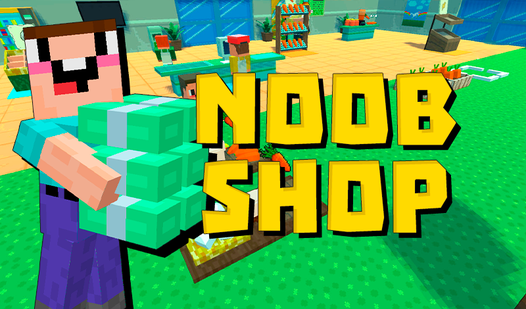
- Manual Farming: You handle every seed yourself. This makes the early game feel frantic as you balance planting duty and cashier shifts.
- Machine Upgrades: Buy processors to turn raw veggies into luxury goods. Your profit margins jump, but you have to manage more complex supply chains.
- Employee Hiring: Hire staff to automate the grunt work. It saves your sanity as the store grows.
- Clunky Interaction: The hitboxes for picking up items feel a bit stiff. You might miss a harvest if you aren't standing perfectly still.
How to Play
Noob Shop: The basics
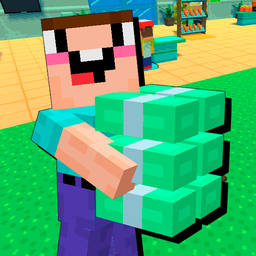
Use WASD or the arrow keys to move your character around the store. You need to plant crops, wait for them to grow, and haul them to the shelves. Keep an eye on the Noob Shop controls so you don't fumble your movement while trying to stock items.
How to play Noob Shop efficiently
Don't just stand around watching the plants grow. While they sprout, you should be running to the register to collect cash from customers. A common mistake is ignoring the checkout counter until it's overflowing, which leaves you scrambling to catch up. Learn how to play Noob Shop by prioritizing the most expensive items first.
Who Should Play Noob Shop?
Frequently Asked Questions about Noob Shop
Can I play Noob Shop on my phone?
Yes, this game runs on mobile browsers without any issues. The touch controls mirror the desktop movement, so you can expand your store while you are away from your PC.
How do you make more money in Noob Shop?
Focus on buying the processing machines as quickly as possible to craft high-tier goods. Raw crops sell for pennies, but finished products keep the register ringing much faster.
Is Noob Shop free to play?
Yes, Noob Shop is completely free to play on Nub Games. There are no in-app purchases. No download or registration required.
Can I play Noob Shop on mobile?
Noob Shop works on both desktop and mobile devices. Best played in none mode.
What age rating is Noob Shop?
The catalog age rating for Noob Shop is 0+.