







Key Features
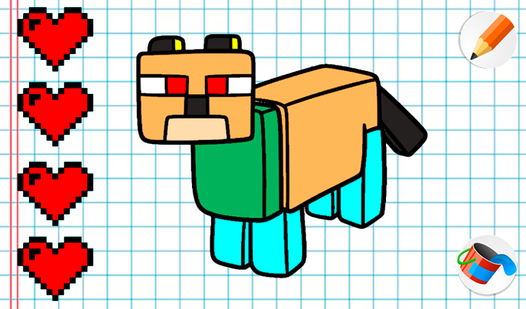
- Dual mode fun: Toggle between pre-made templates and a blank slate. You can choose to follow the guide or ignore the lines entirely.
- Simple color palette: The colors pop on the screen immediately. It keeps things clean and prevents your screen from becoming a cluttered mess.
- Quick swap tools: Changing your brush size happens with one click. It makes transitioning from broad strokes to fine details feel fast.
- Kid-friendly interface: Everything is icon-based. Even if you are six, you will figure out the navigation in about ten seconds flat.
How to Play
Mine drawing: How to start
First, pick between coloring or drawing on the main menu. Use your mouse or tap the screen to select colors and fill in the gaps. Mine drawing controls are straightforward, but the bucket tool can be finicky if your lines do not perfectly close. This is the best way to learn how to play Mine drawing.
Mastering Mine drawing tools
Switching brushes is key when you want to add detail to your work. A common mistake is trying to color tiny areas with the largest brush size, which ruins your progress. Be patient. Once you nail the basics, you can experiment with the full palette to make your own custom art.
Who Should Play Mine drawing?
Frequently Asked Questions about Mine drawing
Can I play Mine drawing on my phone?
Yes, it works on mobile browsers just as well as desktop. You can tap and drag your way through the pages without needing a mouse.
What games are similar to Mine drawing?
If you want more blocky vibes, check out Mine - Online. For something more chaotic, try Obby but You're on a Bike or Obby: Swing for brainrots!.
Is Mine drawing free to play?
Yes, Mine drawing is completely free to play on Nub Games. There are no in-app purchases. No download or registration required.
Can I play Mine drawing on mobile?
Mine drawing works on both desktop and mobile devices. Best played in none mode.
What age rating is Mine drawing?
Mine drawing has a content rating of 6++. It is suitable for all ages.