








Key Features
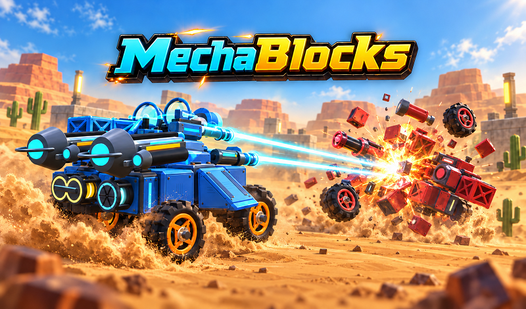
- Physics-based carnage: Every part adds mass and affects how the machine turns. A top-heavy build will tip over during sharp maneuvers.
- Weapon variety: Swap between railguns and plasma cannons. Different projectiles change how you approach combat.
- Garage customization: Save your best designs as templates. You can iterate on successful builds without starting from scratch.
- Arena progression: Unlock new zones as you win. The later levels are kind of unfair with their tight corners.
How to Play
MechaBlocks: Building the foundation
Use WASD to navigate the garage and place your cabin, wheels, and weapons. Keep your center of gravity low if you want to stay upright. Messing up the weight distribution is a classic move that leads to constant flipping during turns. Learning the MechaBlocks controls takes patience, but balance is everything.
Mastering combat in MechaBlocks
Once you enter the arena, figure out how to play MechaBlocks by testing your weapon range before engaging. Don't just hold the trigger. Tap your fire button to manage energy levels. If you dump all your power into rockets at once, you will be left defenseless while your generator recharges.
Who Should Play MechaBlocks?
Frequently Asked Questions about MechaBlocks
Can I play MechaBlocks on my phone?
Yes, it works on mobile browsers. The touch interface is decent, though precision building is always easier with a mouse on a desktop screen.
How do you save builds in MechaBlocks?
Look for the template menu in the garage tab. You can name and store your favorite chassis there to quickly swap between different combat setups.
Is MechaBlocks free to play?
Yes, MechaBlocks is free to play on Nub Games. Optional in-app purchases are available. No download or registration required.
What age rating is MechaBlocks?
The catalog age rating for MechaBlocks is 12+.