








Key Features
- Manual Survival: You must hunt or fish to keep your hunger bar filled. It adds tension to every gathering trip.
- Tool Tiers: Using the wrong tool makes mining take forever. Matching your axe or pickaxe to the material saves precious daylight.
- Recipe Crafting: Open your menu to see what you can build. It keeps your inventory from becoming a total mess.
- Graphic Settings: The high graphics mode can be a bit heavy for older phones. If the game feels stuttery, just toggle it off.
How to Play
Creative Craft 3D: Mastering the basics
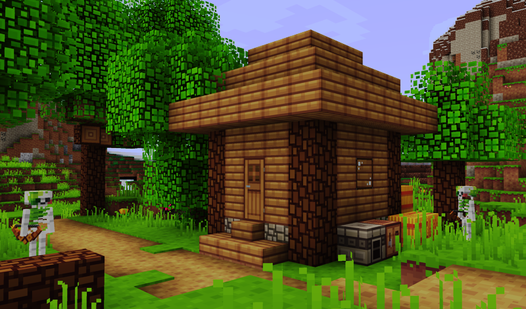
Use the joystick on the left to move around. The Creative Craft 3D controls are simple, but you need to get used to the touch sensitivity. Hold the X icon to break blocks or use the cube icon to place them. Just don't forget to eat, or you'll starve while building your house.
How to play Creative Craft 3D effectively
Always keep the right tool for the job. Use an axe for wood, a shovel for dirt, and a pickaxe for stone. Many players mess up by using their hands for everything, which is a slow death. Crafting new items is the only way to survive the later, tougher nights.
Who Should Play Creative Craft 3D?
Frequently Asked Questions about Creative Craft 3D
Can I play Creative Craft 3D on my phone?
Yes, it runs perfectly on mobile browsers. It is optimized for touchscreens, so you don't need a keyboard to get around the map.
How do you restore health in Creative Craft 3D?
You need to find food like animals or go fishing to keep your hunger up. If you let your health drop, you won't survive the night.
Is Creative Craft 3D free to play?
Yes, Creative Craft 3D is completely free to play on Nub Games. There are no in-app purchases. No download or registration required.
Can I play Creative Craft 3D on mobile?
Creative Craft 3D works on both desktop and mobile devices. Best played in landscape mode.
What age rating is Creative Craft 3D?
The catalog age rating for Creative Craft 3D is 12+.