










Key Features
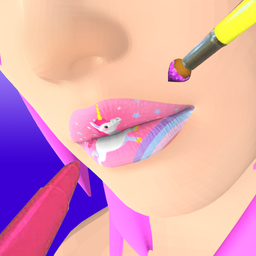
- Glitter Overload: The sparkle effects react to your cursor movement. It creates a satisfying shimmer that makes your finished look pop.
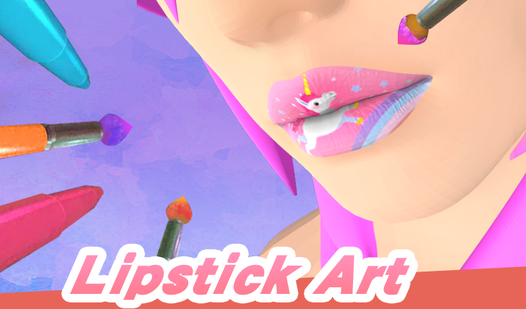
- Precision Tools: You get a variety of brushes for different strokes. The smaller ones are vital for fixing those annoying outer edges.
- Sequins Placement: Drag individual rhinestones to create custom patterns. It turns the screen into a tiny, digital craft table.
- Color Blending: You can mix shades to find the perfect match. Just watch out because the UI gets cramped on smaller screens.
How to Play
Lipstick Art: Master the Tap
Use your mouse or touchscreen to drag brushes across the screen. Lipstick Art controls are touch-based, which helps keep things simple. You need to follow the lip shape exactly, or you will end up with messy edges. Don't worry if you slip up, you can just start the layer over.
Layering in Lipstick Art
Understand how to play Lipstick Art by focusing on the order of operations. Apply the base color, then layer the gloss and glitter on top. Adding too much glitter makes the texture look weirdly chunky. Most players mess up by rushing the final rhinestone placement, so take your time.
Who Should Play Lipstick Art?
Frequently Asked Questions about Lipstick Art
Can I play Lipstick Art on my phone?
Yes, it works perfectly on mobile devices. Just use your finger to drag the brushes across the screen for the same experience as a desktop.
How do you apply the sequins in Lipstick Art?
Select the sequins from the tool menu and tap where you want them to land. You can move them around individually if you misplace a gem.
Is Lipstick Art free to play?
Yes, Lipstick Art is completely free to play on Nub Games. There are no in-app purchases. No download or registration required.
Can I play Lipstick Art on mobile?
Lipstick Art works on both desktop and mobile devices. Best played in portrait mode.
What age rating is Lipstick Art?
The catalog age rating for Lipstick Art is 6+.