











Key Features
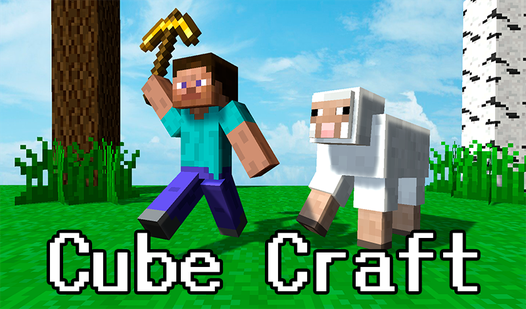
- Resource loops: Gathering raw items triggers a satisfying progression chain. You turn trees into planks and planks into progress.
- Modular construction: You place blocks piece by piece. Your house looks exactly how you want it to look.
- Tool upgrades: Better tools cut down the grind time. They make every swing count for double.
- Island expansion: The map opens up as you build more structures. You claim the desert for yourself.
How to Play
Mastering Cube Craft movement
Use WASD to sprint across the sand and gather essential wood or stone. The Cube Craft controls feel a bit floaty at first, so try not to jerk your camera too fast. Once you have a decent pile of resources, head to your crafting station to process them into building blocks.
Expanding in Cube Craft
You need to upgrade your tools early to keep up with the rising costs of your house segments. Learn how to play Cube Craft by prioritizing the axe upgrade before you touch the walls. If you try to build everything at once, you will run out of inventory space immediately.
Who Should Play Cube Craft?
Frequently Asked Questions about Cube Craft
Can I play Cube Craft on my phone?
Yes, the game is fully optimized for mobile browsers so you can build on the go. Just tap the screen to swing your tool and drag to move your character around.
How do you upgrade tools in Cube Craft?
Navigate to the workbench icon in your HUD to spend your collected resources on better gear. Higher tier tools harvest items faster, which is mandatory for the later building stages.
Is Cube Craft free to play?
Yes, Cube Craft is completely free to play on Nub Games. Optional in-app purchases are available. No download or registration required.
Can I play Cube Craft on mobile?
Cube Craft works on both desktop and mobile devices. Best played in portrait mode.
What age rating is Cube Craft?
The catalog age rating for Cube Craft is 6+.