






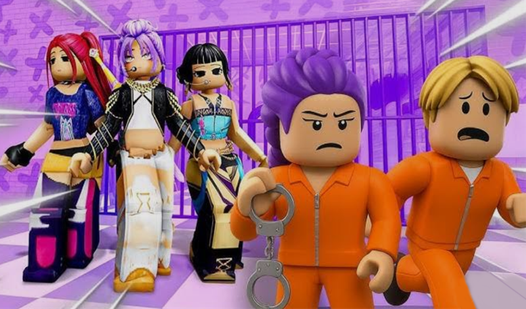

Key Features
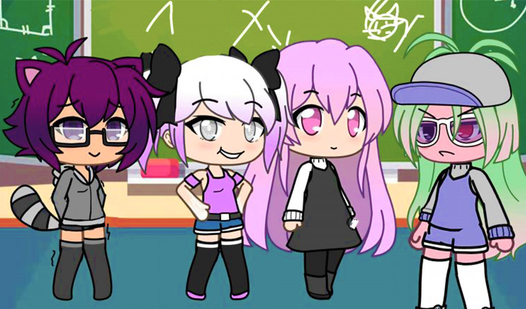
- Infinite color sliders: Dial in the exact shade for your hair or shirt. It makes matching outfits much easier than jumping through pre-set color palettes.
- Ten character slots: You get plenty of room to build your dream cast. It keeps your creative flow going.
- Anime fashion trends: Access tons of weapons and gear to finalize your look. You can make anything from softcore to total combat styles.
- Unique studio poses: Pick custom stances that show off your character's personality. It brings your static designs to life.
How to Play
Mastering Gacha Life 3 setup
Click items in the menu using your mouse or touch screen. These are your standard Gacha Life 3 controls for navigating the wardrobe. Don't worry about getting it perfect on the first try, because you can swap hair, eyes, and outfits until your character looks exactly like the vision in your head.
Gacha Life 3: The studio grind
Once you finish your look, head to the studio to set your pose. This is how to play Gacha Life 3 if you want to save your progress. Just remember that the color slider can be finicky on older laptops. If the colors don't update, give the page a quick refresh.
Who Should Play Gacha Life 3?
Frequently Asked Questions about Gacha Life 3
Can I play Gacha Life 3 on my phone?
Yes, it runs right in your mobile browser. You won't need to install an app to start styling your characters on the go.
How do you save your characters in Gacha Life 3?
You just fill one of the 10 character slots provided in the main menu. The game keeps them there for your next session.
Is Gacha Life 3 free to play?
Yes, Gacha Life 3 is completely free to play on Nub Games. There are no in-app purchases. No download or registration required.
Can I play Gacha Life 3 on mobile?
Gacha Life 3 works on both desktop and mobile devices. Best played in landscape mode.
What age rating is Gacha Life 3?
The catalog age rating for Gacha Life 3 is 12+.