















Key Features
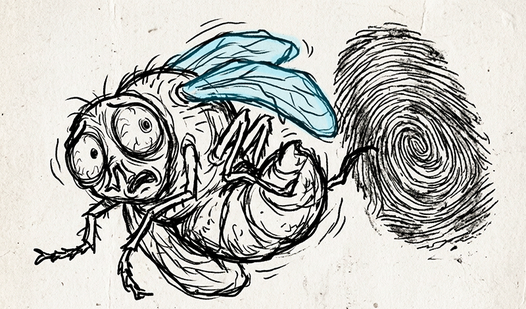
- Interactive Cleaning: Flies leave dirty spots on your screen when they land. You must wipe these away to maintain visibility.
- Shop Upgrades: Collect coins to purchase screen upgrades. These improvements help you manage the invasion.
- Touch Controls: Use your fingers to swipe away dirt on mobile devices.
How to Play
Swatting flies in Fly Swatter: Clean Screen
To swat a fly, click the left mouse button or tap the screen with your finger while it is sitting still. Timing is everything here because you only score points when the fly is actually resting. This is how to play Fly Swatter: Clean Screen effectively.
Cleaning up in Fly Swatter: Clean Screen
Flies leave behind dirt spots that clutter your view. Drag your mouse or swipe your finger over these marks to wipe them away. Using the Fly Swatter: Clean Screen controls to keep your display clear is vital for seeing new targets.
Upgrading in Fly Swatter: Clean Screen
Collect coins as you swat flies to visit the shop. Use these coins to purchase upgrades for your screen. Managing your currency is essential for your long-term success in the game.
Who Should Play Fly Swatter: Clean Screen?
Frequently Asked Questions about Fly Swatter: Clean Screen
Can I play Fly Swatter: Clean Screen on my phone?
Yes, the game is fully supported on mobile devices. You can use your finger to swat flies and wipe away dirt spots directly on your touchscreen.
What are the controls for Fly Swatter: Clean Screen?
On PC, use the left mouse button to swat flies and drag to wipe dirt. On mobile, use your finger to tap flies and swipe across the screen.
Is Fly Swatter: Clean Screen free to play?
Yes, Fly Swatter: Clean Screen is free to play on Nub Games. No download or registration required.
What age rating is Fly Swatter: Clean Screen?
The catalog age rating for Fly Swatter: Clean Screen is 12+.