











Key Features
- Color-coded logic: Sorting these liquids requires actual focus. You cannot just click blindly because one wrong move ruins the entire board state.
- Minimalist UI: The screen stays clean so you can see your mistakes. No flashing lights to distract from the puzzle.
- Brain-teasing progression: Levels ramp up in complexity. You start with basic swaps and end up managing complex chains of colors.
- Mobile friendly: It runs perfectly on your phone. The touch inputs feel responsive enough for quick sessions on the go.
How to Play
Mastering Flasks controls
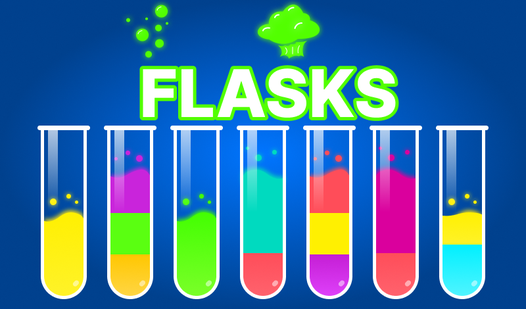
To learn how to play Flasks, just tap the source container then the target one. Use your mouse or touchscreen for these inputs. You should think before you pour, because clicking randomly will trap you in a corner fast. The Flasks controls are simple, but the logic gets messy if you rush.
Why Flasks gets tricky
The main goal is getting every color isolated. A common mistake is filling a flask too early, leaving you with nowhere to put the remaining liquid. Once you reach the later stages, you will need to plan three moves ahead. The game stops being a walk in the park once you hit the tighter color combinations.
Who Should Play Flasks?
Frequently Asked Questions about Flasks
Can I play Flasks on my phone?
Yes, it works great on mobile browsers. Just tap the screen to move the liquids around without needing to install an app.
What are the controls for Flasks?
You simply use your mouse to click or your finger to tap the flask you want to pour from, then select the destination flask.
Is Flasks free to play?
Yes, Flasks is completely free to play on Nub Games. There are no in-app purchases. No download or registration required.
Can I play Flasks on mobile?
Flasks works on both desktop and mobile devices. Best played in portrait mode.
What age rating is Flasks?
The catalog age rating for Flasks is 0+.