











Key Features
- Three input modes: Switch between Cell-first, Number-first, or Note mode to match your playstyle. It saves you from constant back-and-forth clicking.
- Clean interface: The board stays out of your way. You get nothing but logic and numbers.
- Classic logic: Every board follows standard rules. No hidden tricks, just pure deduction.
- Desktop fluidity: Mouse input feels snappy. It makes clearing a row feel punchy.
How to Play
Ultimate Sudoku: Mastering the basics
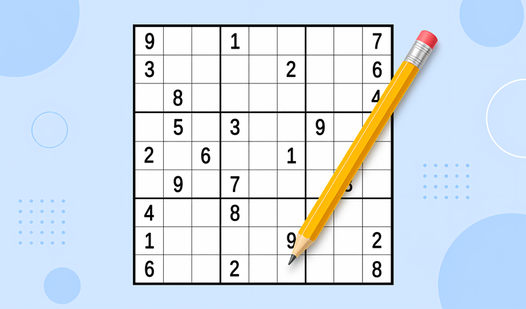
To learn how to play Ultimate Sudoku, start by tapping a cell and picking your digit. The Ultimate Sudoku controls are simple enough, but clicking the wrong box happens constantly. Keep your eyes on the 3x3 blocks. Filling them is your main priority to avoid getting stuck later.
Using Ultimate Sudoku note mode
When you hit a wall, toggle the note mode to pencil in possible values. Don’t ignore your notes. You will mess up spectacularly if you try to memorize every possibility in your head. It is a lifesaver when the board gets crowded and you need to verify your math.
Who Should Play Ultimate Sudoku?
Frequently Asked Questions about Ultimate Sudoku
How do you use notes in Ultimate Sudoku?
Select the note mode button on the interface to enter small numbers into a cell. Use this to track candidates before committing to a final digit.
Can I play Ultimate Sudoku on my phone?
Yes, it works on mobile browsers. The touch controls are responsive, though the grid can feel a bit cramped on smaller screens.
Is Ultimate Sudoku free to play?
Yes, Ultimate Sudoku is completely free to play on Nub Games. There are no in-app purchases. No download or registration required.
Can I play Ultimate Sudoku on mobile?
Ultimate Sudoku works on both desktop and mobile devices. Best played in none mode.
What age rating is Ultimate Sudoku?
The catalog age rating for Ultimate Sudoku is 6+.