





Key Features
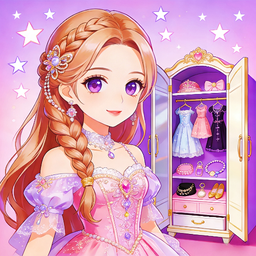
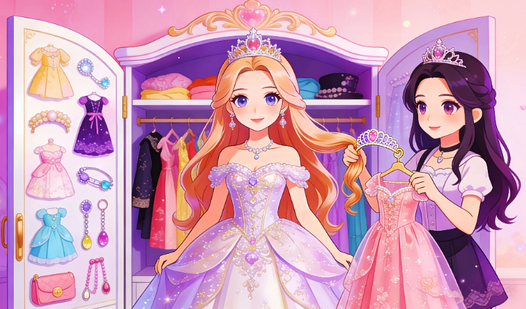
- Infinite Wardrobe: Mix thousands of combinations. You will never run out of ways to style your character for the big event.
- Glitter Overload: The sparkle effects follow your cursor. It makes the screen feel alive while you work on your next masterpiece.
- Camera Mode: Snap a photo of your creation. You can save your favorite looks before hitting the reset button to start fresh.
- Simple Interface: Everything sits in a clear menu. You spend less time hunting for buttons and more time actually styling.
How to Play
Mastering Dress & Crown outfits
Use your mouse to drag items onto your character. Dress & Crown controls are simple, but you need to click precisely or the items snap back to the shelf. Don't rush your selection. Experimenting with color palettes is how to play Dress & Crown properly, so take your time finding the right vibe.
Dress & Crown: Finishing touches
Once the outfit is set, toggle through the hairstyles to see which matches the crown. A common mistake is ignoring the background scenery. It totally shifts the mood of your final portrait. The later hairstyles have some weird clipping issues, but they look cool enough that you'll probably ignore the jank.
Who Should Play Dress & Crown?
Frequently Asked Questions about Dress & Crown
Can I play Dress & Crown on my phone?
Yes, it runs perfectly on mobile browsers. You just tap the items instead of clicking, which feels even more natural for a makeover game.
How do you save outfits in Dress & Crown?
You use the internal camera tool to capture your final look. It saves a snapshot of your current character directly to your device.
Is Dress & Crown free to play?
Yes, Dress & Crown is completely free to play on Nub Games. There are no in-app purchases. No download or registration required.
Can I play Dress & Crown on mobile?
Dress & Crown works on both desktop and mobile devices. Best played in portrait mode.
What age rating is Dress & Crown?
The catalog age rating for Dress & Crown is 6+.