













Key Features
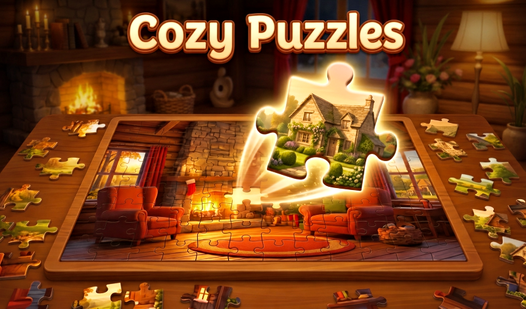
- Smart piece grouping: The game automatically clusters connected blocks. It saves you from shuffling through a cluttered play area for ten minutes.
- Mystery mode tension: The image stays hidden while you work. You have to rely on color patterns and shapes to finish the board.
- Section zoom view: Zooming in lets you scan for tiny details on massive puzzles. It’s a lifesaver when the pieces look identical.
- Helpful magnet tool: Pieces snap together with a satisfying click. It stops you from misaligning parts by one pixel.
How to Play
Standard Cozy Puzzles movement
Use your mouse to drag and drop pieces into place using basic Cozy Puzzles controls. You can rotate pieces by right-clicking, which is vital for the larger sets. Just remember to group the edges first. It makes the middle section less of a headache.
How to play Cozy Puzzles efficiently
You should use the zoom feature when tackling the 630-piece boards. Trying to spot details at full scale is a recipe for eye strain. Most players mess up by ignoring the magnet tool, which snaps nearby pieces together automatically. Don't skip it if you want to speedrun your record.
Who Should Play Cozy Puzzles?
Frequently Asked Questions about Cozy Puzzles
Can I play Cozy Puzzles on my phone?
Yes, it works fine on mobile browsers. The touch controls are responsive enough for smaller screens, though the interface feels tighter than on a desktop monitor.
How do you use the magnet in Cozy Puzzles?
The magnet activates automatically when you drag a piece near its correct neighbor. It saves you from the frustration of trying to align tricky edges manually.
Is Cozy Puzzles free to play?
Yes, Cozy Puzzles is free to play on Nub Games. Optional in-app purchases are available. No download or registration required.
What age rating is Cozy Puzzles?
The catalog age rating for Cozy Puzzles is 12+.