








Key Features
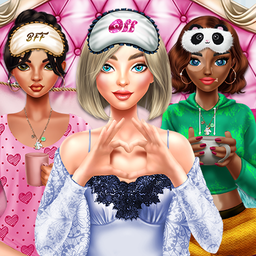
- Textured Layering: Select from jersey, silk, and velour fabrics. Each material reflects light differently on the models.
- Accessory Overload: Pile on the sleep masks and plush headbands. It changes the entire silhouette of your character.
- Squad Coordination: Style all four characters at once. Group themes make the final look pop.
- Quick Swaps: Clicking items is instant. You can cycle through the whole collection in seconds.
How to Play
BFFs Luxury Loungewear: Mastering the Wardrobe
To start, use your mouse to click through the icons on the side of the screen. The BFFs Luxury Loungewear controls are super simple—just point and click to swap outfits instantly. Don't worry about hitting save, as the game tracks your look as you go.
How to play BFFs Luxury Loungewear like a pro
Focus on mixing textures rather than just colors. You’ll find that the silk sets look best with the fuzzy slippers, but watch out for clipping issues with the long robes. That’s the only real annoyance here. Learning how to play BFFs Luxury Loungewear effectively means experimenting until you hit the perfect vibe.
Who Should Play BFFs Luxury Loungewear?
Frequently Asked Questions about BFFs Luxury Loungewear
Can I play BFFs Luxury Loungewear on my phone?
Yes, it runs on mobile browsers just as well as on desktop. You just tap the screen instead of clicking with a mouse.
What games are similar to BFFs Luxury Loungewear?
If you want more fashion, try Hunt for Brainrots: Online for a wild change of pace or stick to the classics with other princess-style titles.
Is BFFs Luxury Loungewear free to play?
Yes, BFFs Luxury Loungewear is completely free to play on Nub Games. There are no in-app purchases. No download or registration required.
Can I play BFFs Luxury Loungewear on mobile?
BFFs Luxury Loungewear works on both desktop and mobile devices. Best played in landscape mode.
What age rating is BFFs Luxury Loungewear?
The catalog age rating for BFFs Luxury Loungewear is 12+.