
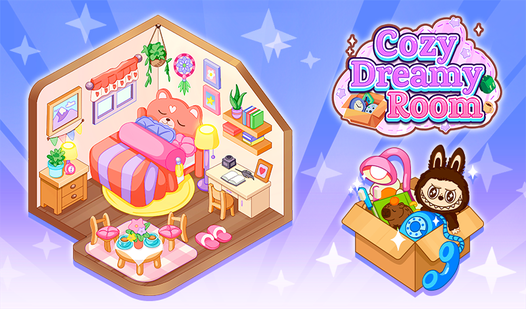












Key Features
- Chaos to Calm: Watch a cluttered disaster zone turn into a tidy sanctuary. Every item you place reduces the visual noise.
- Time Pressure: The clock forces you to make snap decisions. You might scramble to find a spot for that tiny lamp.
- Design Logic: Items have specific homes. If you place a rug on the ceiling, the game will definitely let you know.
- Room Variety: Each level swaps the layout. You constantly face new configurations that demand fresh strategies.
How to Play
Mastering Cozy Dreamy Room controls
To learn how to play Cozy Dreamy Room, just tap or click on the scattered items. Drag them into their designated spots before the timer hits zero. Cozy Dreamy Room controls are simple, but clicking accurately is the hardest part. You will definitely miss your target if you rush too much.
Speeding through Cozy Dreamy Room levels
Don't bother making things look perfect on your first pass. Just shove everything into place to clear the clutter. Once you hit the later stages, the layouts get messy and the timer feels incredibly tight. You will need to prioritize speed over style if you want to win.
Who Should Play Cozy Dreamy Room?
Frequently Asked Questions about Cozy Dreamy Room
How do you rotate items in Cozy Dreamy Room?
You cannot rotate objects in this version. You simply click and drag them to the correct spot, which can get annoying when the hitbox feels slightly off.
Can I play Cozy Dreamy Room on my phone?
Yes, it works on mobile browsers just as well as desktop. You can tap your way through the clutter while on the go.
Is Cozy Dreamy Room free to play?
Yes, Cozy Dreamy Room is completely free to play on Nub Games. There are no in-app purchases. No download or registration required.
Can I play Cozy Dreamy Room on mobile?
Cozy Dreamy Room works on both desktop and mobile devices. Best played in portrait mode.
What age rating is Cozy Dreamy Room?
The catalog age rating for Cozy Dreamy Room is 0+.