

















Key Features
- Scaling upgrades: Each purchase makes the next one pricier. You have to balance your spending versus saving up for massive endgame bonuses.
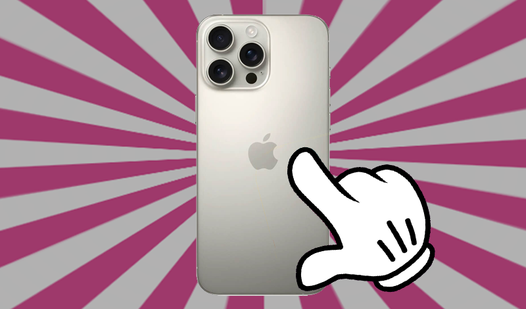
- Visual progression: The phone on screen changes as you dump cash into it. It looks flashier with every level you reach.
- Idle growth: Watch your numbers climb without lifting a finger once you unlock the passive generators. It turns into a math game.
- Menu clutter: The buttons are tiny. You might hit the wrong upgrade if you are playing on a smaller phone screen.
How to Play
Mastering Clicker iPhone taps
Use your mouse or touchscreen for the Clicker iPhone controls. Tap the device icon to generate currency. You should prioritize the auto-clicker upgrades early on. This frees up your hand so you can focus on managing your shop budget instead of just mashing the screen for every single point.
The path through Clicker iPhone
Understand how to play Clicker iPhone by looking at the store tab. Buy multipliers to grow your bank account faster. A common mistake is buying cheap cosmetics before maxing out your coin production rate. Save the aesthetic unlocks for later once your passive income starts carrying the heavy lifting for you.
Who Should Play Clicker iPhone?
Frequently Asked Questions about Clicker iPhone
Can I play Clicker iPhone on my phone?
Yes, it works perfectly on mobile browsers. You just tap the screen like you would in any other app, and your progress saves locally.
How do you get more coins in Clicker iPhone?
You need to purchase the upgrades found in the store menu. These multipliers increase the amount of currency you gain per tap and add passive income.
Is Clicker iPhone free to play?
Yes, Clicker iPhone is free to play on Nub Games. No download or registration required.
What age rating is Clicker iPhone?
The catalog age rating for Clicker iPhone is 6+.