

















Key Features
- Persistent Element Journal: The sidebar tracks every discovery you make. It keeps your workspace clean so you don't lose track of rare materials.
- Quick Access Pins: Drag your favorite base elements to the top bar. This prevents endless scrolling when you need air for the tenth time.
- Randomized Recipe Hunt: Stuck in a loop? Hit the random toggle. It forces you to look at combinations you ignored for the last hour.
- Minimalist Visual Feedback: The icons are clean and simple. You won't get distracted by flashy animations while you think about your next move.
How to Play
Classic alchemy: The basics of clicking
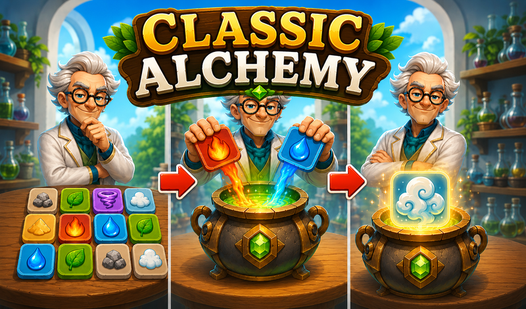
Drag one element onto another to see what happens. If the screen flashes, you nailed a new discovery. Use your mouse or tap the screen for these Classic alchemy controls. Don't worry about order; swapping the position of two elements often produces the same result regardless of which one you drop first.
How to play Classic alchemy without losing your mind
The game does not tell you why fire plus earth results in lava. You have to experiment blindly. A common mistake is trying to force impossible matches, but most items have a logical counterpart. Once you get stuck, use the hint button to save your sanity, as some recipes are cryptic.
Who Should Play Classic alchemy?
Frequently Asked Questions about Classic alchemy
Can I play Classic alchemy on my phone?
Yes, it works perfectly on mobile browsers. You just tap and drag elements with your finger, which feels more natural than using a mouse on a desktop.
What are the Classic alchemy controls?
You use a simple drag-and-drop system. Click an element from the menu or the board, drag it over another item, and release to see if they react.
Is Classic alchemy free to play?
Yes, Classic alchemy is free to play on Nub Games. No download or registration required.
What age rating is Classic alchemy?
The catalog age rating for Classic alchemy is 0+.