





Key Features
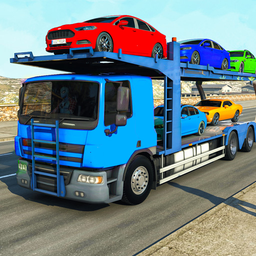
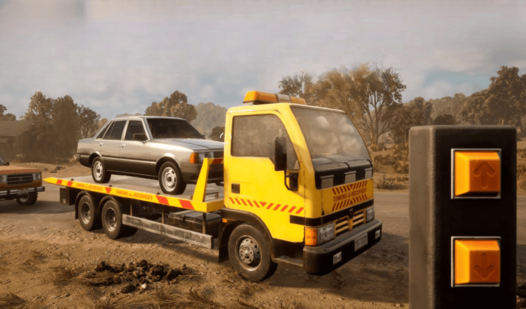
- Heavy Physics: The truck handles differently when you’re towing a massive SUV. Your turn radius widens significantly, forcing you to plan your route through city intersections.
- Traffic Hazards: Other drivers don't care about your tow. They will cut you off, leading to some spectacular pile-ups if you aren't paying attention.
- Winch Mechanics: Connecting the hook is the hardest part. You must align perfectly before the system locks.
- Urban Exploration: The city map is wide open. You can find shortcuts, though taking them with a trailer attached usually ends in disaster.
How to Play
Mastering Carrier 3D controls
Use WASD to steer your rig and Space to hit the handbrake when you need to stop on a dime. You need to learn how to play Carrier 3D by feeling the weight of the truck. If you turn too sharply with a heavy load, you will flip the entire setup.
Hauling in Carrier 3D
Your main goal is to hook up broken vehicles and drag them to the shop without wrecking them further. Most players mess up by accelerating too fast in the city streets. Take your time. Once you hit the highway, the physics engine gets a bit janky and things become a total nightmare.
Who Should Play Carrier 3D?
Frequently Asked Questions about Carrier 3D
Can I play Carrier 3D on my phone?
Yes, the game is fully compatible with mobile devices. Just tap the on-screen buttons to steer and brake while you navigate the city traffic.
How do you hook up cars in Carrier 3D?
You must reverse your truck until the rear of your vehicle is touching the broken car. Once you are positioned correctly, the hook snaps on automatically.
Is Carrier 3D free to play?
Yes, Carrier 3D is completely free to play on Nub Games. There are no in-app purchases. No download or registration required.
Can I play Carrier 3D on mobile?
Carrier 3D works on both desktop and mobile devices. Best played in landscape mode.
What age rating is Carrier 3D?
The catalog age rating for Carrier 3D is 6+.