



Key Features
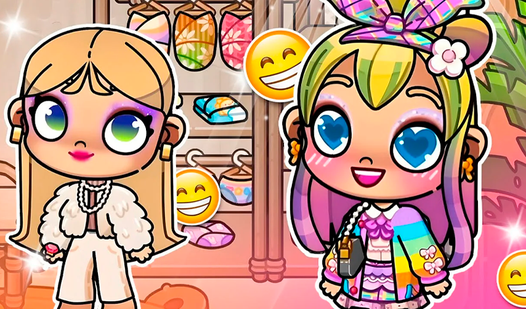
- Deep Character Editor: Layer different clothing items and hair colors to build your look. It lets you test wild combinations you would never wear IRL.
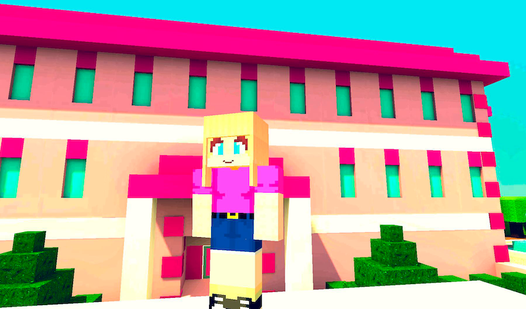
- Scene Staging: Arrange your characters across various backgrounds. It makes a huge difference when you find the right lighting for a photo.
- Room Cleanup: Clear out the clutter before you start the photoshoot. A tidy space keeps the focus on your character design.
- Anime Aesthetics: The vibrant art style pops on any screen. It feels like you are watching a high-quality show.
How to Play
Avatar - New Version: Getting Started
To learn how to play Avatar - New Version, tap the screen or use your mouse to navigate the menus. Select a base location first. The Avatar - New Version controls feel a bit floaty at the start, so take your time clicking elements. Don't rush or you might accidentally reset your progress.
Customizing in Avatar - New Version
Once you pick a room, drag and drop your characters into the frame. Dive into the deep editor to swap hairstyles, outfits, and accessories. You can tweak almost anything to get that specific look you want. Keep experimenting because the sheer number of combinations is wild.
Who Should Play Avatar - New Version?
Frequently Asked Questions about Avatar - New Version
Can I play Avatar - New Version on my phone?
Yes, it works fine on mobile browsers. Just touch the screen to manage your characters and settings.
How do you save photos in Avatar - New Version?
The game uses a built-in capture tool within the editor. You just need to arrange your scene and hit the save button.
Is Avatar - New Version free to play?
Yes, Avatar - New Version is completely free to play on Nub Games. There are no in-app purchases. No download or registration required.
Can I play Avatar - New Version on mobile?
Avatar - New Version works on both desktop and mobile devices. Best played in landscape mode.
What age rating is Avatar - New Version?
The catalog age rating for Avatar - New Version is 6+.