











Key Features
- New Themes: Reaching the sky unlocks a new theme. This changes the visual style of your building environment.
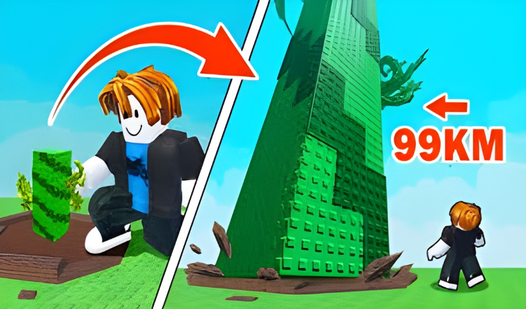
- Endless Stacking: Pile up your stacks as high as possible. The game allows for continuous building to reach greater heights.
- Shop Access: Buy stacks from the shop to maintain your momentum. You use coins earned from climbing to purchase them.
How to Play
Build To Climb: Mastering the ascent
To learn how to play Build To Climb, you must first visit the shop. Buy stacks to expand your base. Pile them up carefully to gain height. You earn coins by climbing and jumping on these structures. If you miss a jump, you lose your progress toward the sky.
Build To Climb controls for movement
Use WASD on your desktop to move your character. Use the spacebar to jump onto your stacks. If you are playing on a smartphone, use the left area for movement and the button on the right to jump. Right-click or pinch the screen to manage your camera perspective.
Who Should Play Build To Climb?
Frequently Asked Questions about Build To Climb
Can I play Build To Climb on my phone?
Yes, the game supports mobile devices. You can use the touch controls on your screen to move, jump, and control the camera while you build your tower.
What are the Build To Climb controls?
On desktop, use WASD to move, the spacebar to jump, and the right mouse button for the camera. Mobile users move via the left screen area and jump with the right button.
Is Build To Climb free to play?
Yes, Build To Climb is completely free to play on Nub Games. Optional in-app purchases are available. No download or registration required.
Can I play Build To Climb on mobile?
Build To Climb works on both desktop and mobile devices. Best played in landscape mode.
What age rating is Build To Climb?
The catalog age rating for Build To Climb is 6+.