

















Key Features
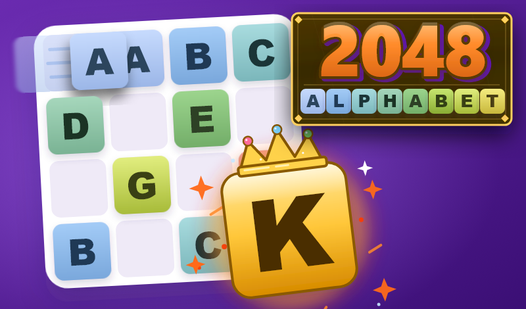
- Letter progression: Moving from A to Q changes your strategy. You have to plan three moves ahead to keep the board clean.
- Daily perks: Peek at your next tile to avoid bad placements. It saves your run when the board gets crowded.
- Auto-save state: Close your browser and return later. Your progress waits exactly where you left it.
- Visual feedback: Each letter has a distinct color. It helps you spot gaps instantly.
How to Play
Mastering 2048 Alphabet swipes
Use your arrow keys or a quick finger tap to slide the tiles across the grid. Every move pushes everything in that direction, forcing new letters into play. Understanding these 2048 Alphabet controls is simple, but don't just mash keys randomly. You will trap yourself in a corner with no space to move.
How to play 2048 Alphabet effectively
Keep your highest letter tucked into one corner to build a solid chain of smaller tiles around it. This is the best way to learn how to play 2048 Alphabet without losing your mind. Watch for the 'Q' tile if you want the high score, but be careful of the messy mid-game transitions.
Who Should Play 2048 Alphabet?
Frequently Asked Questions about 2048 Alphabet
How do you use boosters in 2048 Alphabet?
Click the icons below the board to undo your last move or get a sneak peek at the upcoming tile. These help you recover from a single bad swipe.
Can I play 2048 Alphabet on my phone?
Yes, it works on mobile browsers through touch controls. The interface is responsive, though the tiles feel a bit cramped on smaller screens compared to desktop.
Is 2048 Alphabet free to play?
Yes, 2048 Alphabet is free to play on Nub Games. Optional in-app purchases are available. No download or registration required.
What age rating is 2048 Alphabet?
The catalog age rating for 2048 Alphabet is 0+.