











Key Features
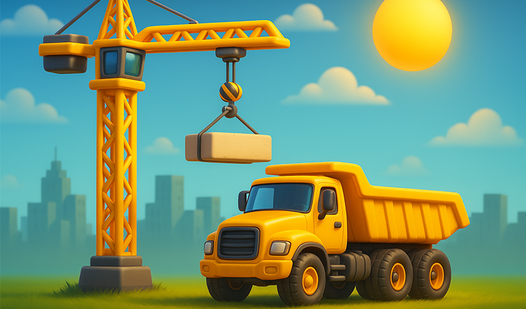
- Weighty Mechanics: Every machine feels heavy and cumbersome. You have to account for momentum or you will tip your truck over immediately.
- Physics Puzzles: The environment reacts to your bad driving. If you hit a bridge support, expect it to crumble.
- Precision Tasks: You must drop items into tiny zones. It gets stressful when the camera angle hides the target.
- Terrain Hazards: Mountain paths are narrow and steep. One wrong turn sends you sliding down the cliffside in a hurry.
How to Play
City Constructor: Mastering the Controls
Use WASD to drive and the arrow keys to swing your machine’s arm into position. Learning how to play City Constructor requires a gentle touch on those keys. If you slam the movement inputs, your truck will bounce around like a toy. It’s a bit janky at times.
City Constructor: Physics and Cargo
Press the spacebar to grab objects or drop your load exactly where the job site demands. City Constructor controls are sensitive to how you approach a pivot point. A common mistake is trying to move too fast before the claw has a solid grip. Take your time or watch your cargo shatter.
Who Should Play City Constructor?
Frequently Asked Questions about City Constructor
How do you drop cargo in City Constructor?
You just tap the spacebar while your claw is over the target zone. Make sure your vehicle is fully stopped first, otherwise the physics will go wild.
Can I play City Constructor on my phone?
Yes, it works fine on mobile browsers using the on-screen touch controls. The screen can feel a bit cramped, but the mechanics remain exactly the same.
Is City Constructor free to play?
Yes, City Constructor is completely free to play on Nub Games. There are no in-app purchases. No download or registration required.
Can I play City Constructor on mobile?
City Constructor works on both desktop and mobile devices. Best played in landscape mode.
What age rating is City Constructor?
The catalog age rating for City Constructor is 6+.