
Spot the Difference Games: Rules, Tips, and Free Picks

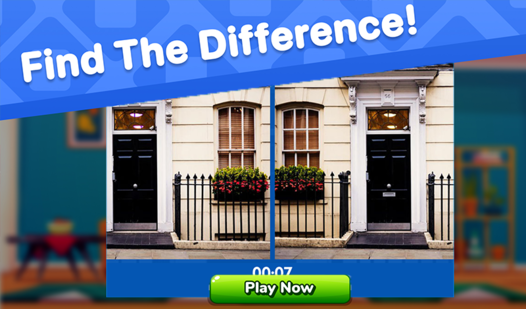
Spot the difference games place two nearly identical pictures side by side and ask you to find every visual change. Start by comparing one small area at a time, then tap or click each mismatch in either image. Most versions end when you mark the full set; timed modes also require you to finish before the clock runs out. Look for missing objects, altered colors, shifted shapes, and small changes along edges.
What are the rules of spot the difference games?
The basic rule is to identify all intentional differences between two similar images without selecting matching areas by mistake.
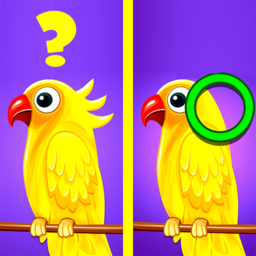
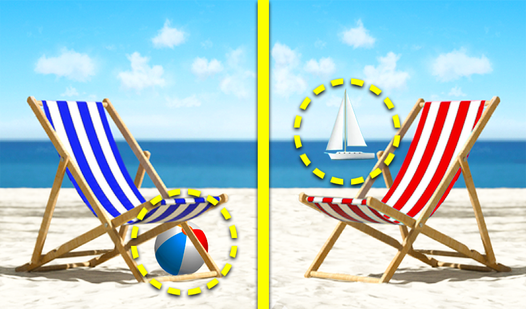
A difference may be an object that appears in only one picture, a changed color, a reversed shape, an extra line, a missing pattern, or an item placed in a slightly different position. Selecting the correct area usually marks that difference in both images and updates a counter showing how many remain.
The exact conditions vary by game. Some levels let you search without a time limit, while others use a countdown. A wrong click may have no effect, remove time, reduce a score, or use one of a limited number of attempts. Hint buttons typically reveal one unresolved area, although hints may need time to recharge or may be limited per level.
You normally do not need to identify what an object is. You only need to verify that the corresponding visual information differs. A tiny missing button counts just as much as a large object with a new color. The challenge comes from separating deliberate changes from distractions caused by detailed artwork, repeated patterns, or visually crowded scenes.
How do you play spot the difference games step by step?
The most reliable method is to divide the pictures into manageable sections and compare corresponding areas in a fixed order.
- Check the objective to know the target. Read the difference counter, timer, mistake limit, and hint rules before making your first selection.
- Confirm the image alignment to compare accurately. Identify matching borders and major objects so you know which points correspond across the two pictures.
- Choose a starting corner to avoid random searching. Begin at the upper-left, upper-right, or another clear reference point and keep that choice consistent.
- Scan one narrow band to reduce visual overload. Compare the same horizontal strip in both pictures before moving down to the next strip.
- Inspect objects from outline to interior to catch subtle edits. Compare shape, position, color, texture, shadows, and small attached details.
- Select only after confirming the mismatch to protect attempts. Look back and forth at the suspected area once more before clicking or tapping.
- Use marked differences as boundaries to track progress. Finished areas become landmarks that help you avoid repeatedly checking the same space.
- Save hints for the final search to gain maximum value. Early differences are often easier; a hint is more useful after systematic scanning leaves one stubborn change.
On a phone, zooming can help if the game supports it, but excessive zoom makes it easy to lose your place. Return to a full-image view between sections. On a desktop, keeping your pointer away from the image while scanning prevents accidental clicks.
How do you win at spot the difference games?
You win more consistently by using an orderly scan, checking high-probability locations, and treating speed as the result of accuracy rather than frantic clicking.
Start with strong visual anchors. Faces, signs, windows, clothing, furniture, and other clearly bounded objects are easier to compare than open sky or textured ground. Check each anchor's outline first, then its interior. Editors often hide small changes at the point where an object meets its background because the boundary already contains visual noise.
Next, inspect the edges and corners of the pictures. Players naturally focus near the center, so peripheral changes can survive several passes. Thin lines, cropped objects, leaves, clouds, and decorations near the frame deserve a deliberate check.
Alternate between two comparison styles. With side-to-side scanning, your eyes move between matching positions and look for a direct mismatch. With whole-scene scanning, you study one image briefly and then the other, allowing a missing or added object to stand out. Switching methods can reveal a difference that became invisible during repeated close comparison.
For timed levels, prioritize large, isolated objects before dense patterns. Every easy find reduces the amount of unresolved material and gives you useful reference points. Do not spend half the timer staring at one suspicious patch. Move on, complete the rest of your scan, and return with a fresh view.

What are the most common spot the difference mistakes?
The most common mistake is searching randomly, which causes repeated checks of familiar areas while other parts of the picture receive little attention.
Another mistake is clicking on anything that merely looks unusual. The question is not whether an object seems odd; it is whether its counterpart is different. Reflections, shadows, perspective, and overlapping objects may be identical in both images even when they look confusing.
Players also tend to compare object categories instead of exact details. Seeing a flower in both pictures does not prove that they match. One may have a different number of petals, a changed center, or a missing leaf. Break complex objects into smaller features rather than approving them at a glance.
Tunnel vision is especially costly near the end of a level. After staring at one region for too long, your brain begins to treat it as familiar and stops reporting small discrepancies. Look away for a few seconds, zoom out, or restart your scan from the opposite corner. A fresh direction changes the order in which details reach your attention.
Finally, do not use every hint immediately. A hint spent on an obvious early difference saves little effort. If hints are limited, reserve them for the last unresolved item or for a timed situation where continued manual searching would probably cost the level.
What types of spot the difference games are there?
Spot the difference games mainly vary by time pressure, image style, difficulty, and the way mistakes or hints are handled.
Relaxed games remove the timer and work well for careful observation. Timed games turn the same visual task into a race, rewarding a practiced scanning pattern. Limited-mistake modes discourage guessing because several incorrect clicks can end the round.
Photographic puzzles often hide changes in natural textures such as hair, foliage, fabric, or architecture. Illustrated scenes can manipulate outlines, colors, facial expressions, and repeated decorative elements more freely. Children's versions usually use larger shapes and cleaner backgrounds, while difficult sets rely on subtle tonal shifts, tiny missing marks, and crowded compositions.
Some games present independent pictures, and others connect levels through a theme or progression. Daily puzzles offer a new scene on a schedule. Endless or large collections emphasize repeat play. Multiplayer and score-based variants may compare completion time or accuracy, making careful first-click decisions more important.
The underlying skill remains the same across these formats: compare corresponding information, maintain a search order, and distinguish a verified mismatch from a vague suspicion.
What are the best spot the difference games to play free?
The best free spot the difference games use clear images, accurate selection zones, readable counters, fair differences, and controls that do not interrupt close observation.
A good puzzle should be challenging because the changes are cleverly placed, not because the image is blurry or the clickable area is unreliable. A useful hint system should rescue a stalled round without replacing the entire search. Difficulty should also rise through finer details or denser scenes rather than arbitrary penalties.
The plainly titled Find the Difference is a sensible starting point for learning the scan-and-confirm rhythm described above. Once the method feels natural, move to another catalog option for a fresh set of images instead of relying on memory from repeated levels.
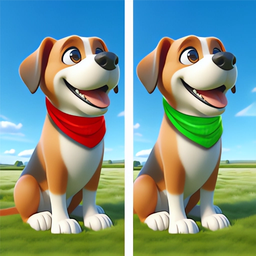
Players seeking a stronger challenge can choose entries labeled Master or Expert. Those names signal the intended difficulty, but individual levels can still vary, so judge each puzzle by its image density, time rules, and tolerance for mistakes. Begin with accuracy, then replay or try a harder listing when you can finish without random clicks.
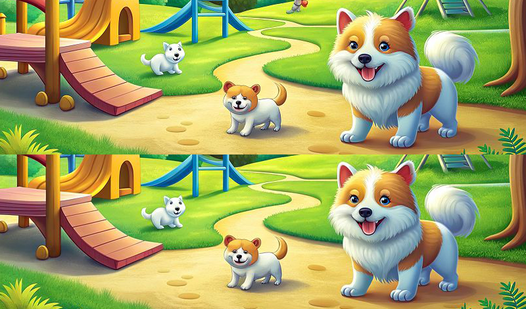
Whichever game you choose, test the controls on the first obvious difference. Confirm where the game expects you to click, how it marks solved areas, and whether a mistake carries a penalty. That small check prevents control misunderstandings from affecting the rest of the level.
FAQ
Are spot the difference games good for observation skills?
They practice focused visual comparison, orderly scanning, and attention to small details. Improvement within the game does not automatically transfer to every real-world task, but the activity directly exercises those specific habits.
Should I look at both pictures at the same time?
Compare matching sections back and forth rather than trying to absorb both complete pictures at once. Narrowing your attention makes small changes easier to verify.
What should I do when I cannot find the last difference?
Pause briefly, zoom out, and scan again from the opposite corner. Check borders, repeated patterns, shadows, and small features attached to larger objects before using a hint.
Can I play spot the difference games without a timer?
Yes. Many versions use relaxed play, although rules differ between games. Check the level screen for a countdown, mistake counter, or mode selector before starting.