
Best Coloring Games Online: Free Picks and Tips

The best coloring games online let you complete pictures without downloads, art supplies, or complicated controls. Choose an image, select a color, and click or tap the area you want to fill. Some games offer open-ended creativity, while others turn coloring into a puzzle with numbered sections, matching tasks, or limited choices. Start with a simple picture, learn how the palette and undo button work, then move to finer designs.
What are the rules of online coloring games?
The basic rule is to fill every intended area while following any color, number, or matching instructions shown by the game.
In a free-coloring mode, there may be no wrong answer. You decide which colors belong in the picture and can treat the image like a digital coloring book. Color-by-number games are more structured: each section has a number linked to a specific color. Matching and puzzle-based variants may ask you to unlock colors, identify pairs, or complete sections in a particular order.
Controls vary, but most games use a mouse on desktop and taps on mobile. Look for tools such as undo, eraser, zoom, brush-size controls, hints, and a reset button. Test an unfamiliar tool on a large area before using it around small details.


How do you play coloring games step by step?
A reliable process helps you avoid missed sections and unnecessary restarts.
- Choose a clear picture to learn the controls. A design with large regions makes it easier to understand how selection, filling, and correction work.
- Check the objective before coloring. Identify whether the game allows free choices or expects numbered colors, matches, or another fixed solution.
- Select a color and confirm the active swatch. This prevents accidental fills caused by clicking the palette too quickly.
- Fill the largest areas first. Completing backgrounds and broad shapes reveals the remaining details and gives the picture an early sense of structure.
- Zoom in before handling small regions. A closer view improves accuracy and helps you find narrow sections that are easy to overlook.
- Correct mistakes immediately. Use undo or the eraser before continuing, so you do not forget which area needs repair.
- Scan the edges and corners. Tiny uncolored spaces often sit beside outlines, accessories, or the edge of the canvas.
- Review the complete image at normal size. Zooming out exposes uneven color distribution and shows whether important subjects stand out from the background.
- Finish or save through the game interface. Some titles recognize completion automatically, while others require a confirmation button.
What makes a good online coloring game?
A good coloring game combines responsive controls, readable outlines, useful correction tools, and enough picture variety to reward another session.
The most important feature is accurate input. A tap should affect the intended region without coloring a neighboring section. On small screens, zoom and pan controls matter just as much. Clear palette feedback also helps: you should always know which color is active and, in structured modes, which sections remain.
Helpful tools should remove frustration without doing the entire activity for you. Unlimited undo encourages experimentation. Hints are valuable when one tiny section is hiding, but constant automatic guidance can make a picture feel mechanical. Pleasant sound and animation can add polish, although both should stay secondary to a clean, readable canvas.
What are the best coloring games to play free?
The best choice depends on whether you want a relaxing picture, a fashion-oriented subject, a tactile craft theme, or a familiar character design.
Cozy Coloring is a sensible starting point if you want the calm, low-pressure side of the genre. Its title suggests a comfort-focused theme, making it a natural pick for a short break or an unhurried session.
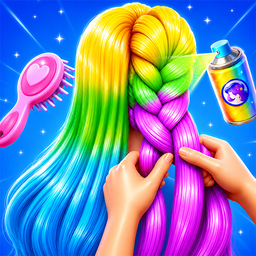
Hair Coloring points toward hairstyles and color experimentation. Choose it when the subject interests you more than landscapes or general coloring-book scenes. Hair also provides a useful way to practice related shades: a dark base, a midtone, and a lighter accent can create more depth than one flat color.

Wool Coloring offers a craft-flavored alternative. The wool theme makes it appealing to players who prefer soft materials and patterned subjects over a conventional page. If the game includes many small areas, work from the largest shapes toward the finest details.
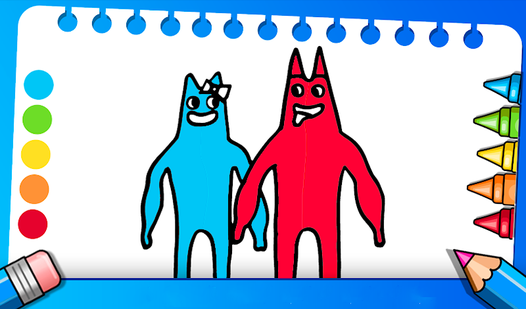
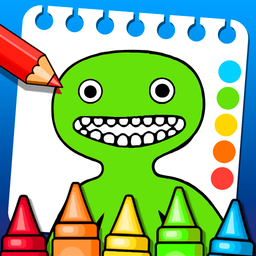
Banban Coloring is the character-themed option in this selection. Familiar or strongly outlined characters can be colored according to their recognized appearance, but you can also deliberately invent a new palette if the mode permits free choices.
Because exact controls and objectives can differ, read the instructions displayed by each game rather than assuming every title uses the same rules. A good personal shortlist should include at least one structured game for focused play and one free-coloring game for experimentation.
How do you color more neatly online?
Neat digital coloring is mostly about controlling the view, not moving the pointer with artistic precision.
Zoom in far enough that the intended region is easy to distinguish, but not so far that you lose track of the surrounding shapes. If the game fills enclosed regions automatically, click near the center rather than close to an outline. With brush-based controls, begin with a broad brush for open areas, then reduce its size near borders.
Work in a consistent direction. You might move from the upper-left corner to the lower-right, or complete one object before starting another. This simple habit reduces missed spaces. It also helps to pause after each cluster of details and zoom out. A color that looks appropriate in isolation may appear too bright or too similar to its neighbor when you see the whole picture.
If there is no undo button, test colors on a visually separate area first. Avoid rapid tapping around the palette because a delayed input can select a different swatch than expected.
How do you choose colors that look good together?
Start with one main color, add a related supporting color, and reserve the strongest contrast for the focal point.
Related colors sit near one another on a color wheel, such as blue and green or red and orange. They tend to produce a calm result. Complementary pairs, such as blue and orange, create stronger separation. Use that contrast selectively so the picture does not become visually noisy.
Value is as important as hue. Two different colors can blend together if both are equally dark. Place a light color beside a dark one when outlines or shapes need to remain readable. For a simple shaded effect, reuse a hue in light, medium, and dark versions instead of adding several unrelated colors.
There is no need to imitate reality unless the game requires a fixed solution. Purple trees, green hair, and unusual skies can work if the palette remains deliberate and the important shapes are easy to recognize.
How do you win at online coloring games?
You win structured coloring games by completing every required section correctly, while open coloring games are finished when the picture satisfies you.
In color-by-number play, do not assume the last visible region is truly the last one. Check narrow gaps around eyes, fingers, decorations, lettering, and the outer border. Some games highlight unfinished sections after you select their assigned color. Use that feature methodically instead of tapping hints at random.
Puzzle hybrids can add move limits, locked colors, matching goals, or a required sequence. In those games, read the objective before spending a resource. If choices are limited, handle forced moves first and preserve flexible colors or power-ups until you understand where they are needed.
Open-ended games have no single optimal score. You can set your own goal: reproduce an expected palette, use only warm colors, build a monochrome image, or make the subject stand out clearly from the background.
What beginner mistakes should you avoid?
The most common mistakes are rushing into small details, ignoring the objective, using too many competing colors, and resetting before checking for hidden sections.
Beginners often start with the most interesting tiny feature. That feels rewarding, but it can make the rest of the palette harder to organize. Establish the background and main shapes first. Another mistake is choosing neighboring colors with almost identical brightness, which causes separate objects to merge visually.
Do not treat hints as the first move. Search systematically by zooming in and checking the perimeter. Save hints for genuinely hidden areas. Likewise, avoid restarting after one poor color choice if undo, erasing, or recoloring is available.
On mobile, accidental input often comes from trying to pan while a coloring tool is active. Lift your finger fully between gestures and use a dedicated move tool when the game provides one.
What types of online coloring games are available?
The genre ranges from digital coloring books to rule-based puzzles, so you can choose a format that matches your mood.
Free-coloring games emphasize personal choice. Color-by-number games provide a defined result and a clear completion goal. Pixel coloring divides the image into many small cells, rewarding patience and pattern recognition. Brush-based games resemble simple drawing apps and demand more careful hand control. Matching hybrids connect coloring to sorting, pairing, or progression tasks, while makeover and fashion variants focus on hair, clothing, makeup, or character styling.
For relaxation, choose large shapes, forgiving controls, and unlimited correction. For a more focused challenge, look for numbered sections, dense pixel grids, or puzzle mechanics. Neither style is inherently better; the useful distinction is how much freedom or structure you want during that session.
FAQ
Can I play coloring games online for free?
Yes. Browser coloring games can be opened and played without buying physical supplies, though individual titles may display ads or offer optional features.
Are online coloring games good for children?
They can help children practice color recognition, attention, and basic pointer or touchscreen control. An adult should still check the game, advertising, and device settings for age suitability.
Do coloring games require drawing skills?
No. Region-fill and color-by-number games only require you to select colors and identify sections. Brush-based variants benefit from steadier control but usually remain approachable.
Can I play coloring games on a phone?
Many browser games support touch controls. For detailed pictures, rotate the phone if supported, zoom in, and tap near the center of each region to reduce mistakes.