
Free Word Search Games: Rules, Tips, and Picks

Free word search games are puzzles in which you find words hidden inside a letter grid. Choose a listed word, scan the rows, columns, and diagonals, then drag across the complete word to mark it. Words may run forward or backward and can cross one another. Start with obvious letter patterns, confirm every letter before selecting, and clear the full list to finish the puzzle.
What are the rules of word search games?
The basic rule is to locate every target word in the grid without changing direction midway through a word.
Most puzzles provide a word bank beside or below the grid. Each answer appears in one straight line: horizontally, vertically, or diagonally. Depending on the puzzle, words may read left to right, right to left, top to bottom, bottom to top, or in either diagonal direction. A word can share letters with another answer, so finding one does not necessarily make those squares irrelevant.
To select an answer, press or click its first letter, drag to its last letter, and release. On a touchscreen, use one deliberate swipe. A correct selection is normally highlighted and removed from or crossed out in the word bank. If nothing happens, check the spelling, direction, and endpoints. Some games use a timer or limited hints, but the central goal remains the same: find every listed word.
How do you play word search step by step?
You play efficiently by checking the word list, choosing a distinctive target, and tracing it through the grid before making a selection.
- Read the word list - know your targets. Look over every answer before searching. Long words, unusual spellings, and rare opening letters are usually the easiest places to begin.
- Check the allowed directions - narrow the search. If the game explains that words only run forward, you can ignore several directions. If it gives no restriction, assume backward and diagonal words are possible.
- Choose one distinctive word - reduce distractions. Search for a word containing a rare letter or memorable pair such as Q, X, Z, PH, or CK rather than trying to process the entire list at once.
- Find an anchor letter - create a starting point. Scan for the first letter of your target. For a backward word, it can be easier to search for the final letter instead.
- Test every direction - verify the sequence. From each possible anchor, check outward in all permitted directions. Match letters one by one without jumping or turning.
- Trace before dragging - prevent false selections. Follow the whole word with your eyes, then select it in a single clean movement from one endpoint to the other.
- Use completed words as landmarks - organize the grid. Highlights break a crowded board into smaller visual areas and make untouched regions easier to identify.
- Recheck the word bank - focus the endgame. When only a few answers remain, search for those exact letter patterns instead of continuing a general scan.
On a phone, an inaccurate drag can begin one square too early or end one square too late. Pause on the first letter, keep your finger centered, and release only after reaching the final square. If the board is small, zoom the page only if doing so does not interfere with the game controls.
How do you find hidden words faster?
The fastest method is to search for rare letter combinations first, then scan the grid in a fixed pattern rather than moving your eyes randomly.
Start with the longest or most visually distinctive answer. A ten-letter word creates fewer plausible matches than a short word such as CAT. Double letters are useful anchors too: a target containing EE, LL, or SS can often be found by looking for adjacent matching letters before checking the rest of the word.
Scan systematically. Move across each row from left to right, then repeat vertically by columns. For diagonals, inspect parallel diagonal lines in order. This feels slower than darting around the board, but it prevents you from repeatedly checking the same central area while ignoring edges and corners.
Change the anchor when a common first letter produces too many candidates. If you are looking for STATION and the grid contains many S letters, search for the less common TION ending. Once you find N, O, I, T in reverse order, extend the line to confirm the full answer.
Near the end, use elimination. Count the letters in the remaining word, note its rarest character, and check whether that character appears near a boundary. Long words have limited room near an edge, which cuts down the possible directions. Do not use a hint merely because progress pauses for a few seconds; first rescan the outer two rows and columns, where overlooked words often hide.
How do you win at word search games?
You win by finding every listed word, but a strong result also depends on accuracy, controlled scanning, and sensible hint use.
If there is no timer, accuracy matters more than speed. Random swipes create visual noise and can make you lose your place. Confirm the complete sequence before selecting. With a timer, divide the puzzle into two phases: collect obvious words quickly, then switch to methodical scanning for the difficult remainder. Spending too long on one target is inefficient, so move to another word and return later with fresh eyes.
Treat hints as a limited resource even when the game offers many. A hint is most valuable after you have identified the troublesome word and exhausted a structured search. If hints affect the score, save them for the final answer, when one revealed letter can remove the largest bottleneck.
For repeat play, practice recognizing shapes instead of silently pronouncing every letter. A word rising diagonally has a visual slope; a reversed word has the same pattern viewed from the opposite endpoint. This skill develops naturally, and it is more useful than trying to memorize the entire grid.
What are the best free word search games to play?
The best free word search games have readable grids, responsive selection controls, clear word lists, and enough variety to keep repeated puzzles interesting.
A good interface should make selected words obvious without covering nearby letters. On mobile, squares need enough spacing for accurate swipes. The word bank should clearly distinguish completed answers, and restarting or moving to another puzzle should take only a moment. Timers, themes, hints, and score systems are preferences rather than requirements: they should support the puzzle instead of distracting from it.
For a straightforward starting point, try the catalog entry below and judge it by the essentials: can you read the board comfortably, select words reliably, and understand what remains at a glance?
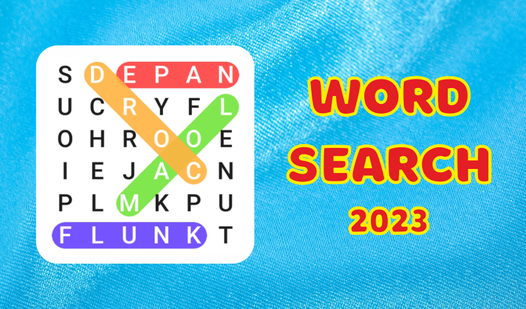
If you enjoy vocabulary grouped around a subject, a themed option can make the search more satisfying because related words create a recognizable context. Theme Word Search is a natural catalog choice for exploring that format. A theme can also help when a word is unfamiliar, since the surrounding answers suggest its likely meaning or spelling.
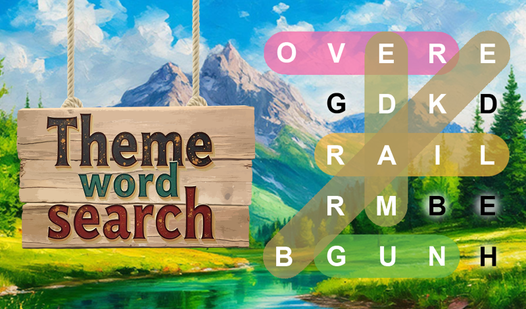
Try more than one game before deciding which format you prefer. One player may want relaxed, untimed boards; another may enjoy racing a clock or limiting hints. Short sessions suit compact grids, while larger boards reward patient scanning. Free browser games make comparison easy because you can move between styles without installing anything.
What word search variants should you try?
Common variants change the vocabulary, grid shape, directions, or pressure while preserving the basic task of finding straight-line words.
Themed puzzles use categories such as food, travel, animals, or school subjects. They are useful for vocabulary practice because every answer belongs to a shared context. Educational versions may focus on spelling, science terms, or a second language. Large-grid puzzles increase difficulty through visual density, while timed modes test recognition speed rather than patient completion.
Some beginner puzzles allow only horizontal and vertical answers. Harder boards add diagonals, reversed spellings, overlapping words, and short answers hidden inside longer letter sequences. Daily puzzles often provide a fresh board on a schedule, while endless or randomly generated modes favor repeated casual play.
Changing variants is also a practical way to improve. If diagonal words consistently slow you down, choose boards that use them heavily. If you depend on the first letter, practice with reversed words and search from both endpoints.
What mistakes do beginners make in word search games?
The most common mistakes are searching randomly, assuming every word reads forward, and selecting before checking the full sequence.
Random scanning feels active but leaves gaps. Use rows, columns, diagonals, or divided sections so that every part of the board receives attention. Do not stare at one answer for too long. After several failed passes, switch targets; finding another word may add a highlight that helps you orient yourself.
Beginners also ignore borders. A word can begin in a corner and extend inward, or end at an edge after running backward. Check the perimeter whenever the final few answers seem impossible. Another trap is noticing a promising prefix and assuming the rest must match. Similar sequences are often deliberate decoys, so verify every letter and both endpoints.
Finally, avoid rushing your drag. Correct recognition does not count if the selection begins on the wrong square. Trace first, select second, and check that the game marked the answer before continuing.
FAQ
Are free word search games suitable for children?
Yes. Simple boards can reinforce spelling, concentration, and pattern recognition. Choose an age-appropriate vocabulary and a grid large enough to read comfortably.
Can words run backward in a word search?
Yes. Many puzzles hide words backward horizontally, vertically, or diagonally. Check the instructions, and search from both the first and last letters when directions are unrestricted.
Do overlapping words share letters?
They can. Two or more answers may cross at one letter or follow part of the same line, so highlighted squares can still belong to an unfinished word.
What should I do when I cannot find the last word?
Confirm its spelling and length, identify its rarest letter, then scan the borders and each allowed direction systematically. Use a hint only after that focused pass.