









Key Features
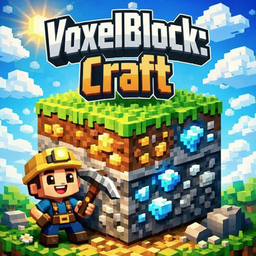
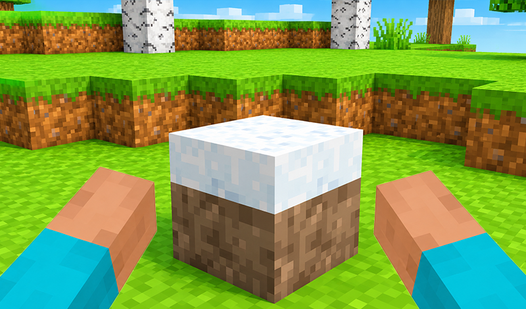
- Total terrain control: Break any block you see to reshape the entire map. It feels like digital clay in your hands.
- Infinite block stash: Your inventory holds everything you collect. You never run out of materials while building your massive, weird structures.
- Simple movement physics: Running and jumping feels light. You can clear gaps easily, but the character movement can feel a bit floaty sometimes.
- Open sandbox freedom: There is no goal or timer. You just exist and build exactly what you want.
How to Play
Starting out in VoxelBlock: Craft
To learn how to play VoxelBlock: Craft, just hit E to open your inventory and grab some blocks. Use WASD to move and the mouse buttons to place or destroy terrain. Don't try to build a skyscraper immediately. Most players mess up early by trying to build too high without a solid foundation.
Mastering VoxelBlock: Craft controls
Your VoxelBlock: Craft controls are pretty standard. Shift lets you run, and the space bar handles jumping over smaller gaps. Keep an eye on your surroundings. If you stray too far from your starting point, you might lose your way back to your base. It happens to the best of us.
Who Should Play VoxelBlock: Craft?
Frequently Asked Questions about VoxelBlock: Craft
How do you place blocks in VoxelBlock: Craft?
Just select a block from your inventory and use the right mouse button to snap it into place. It works on any flat surface or adjacent block face.
Can I play VoxelBlock: Craft on my phone?
Yes, you can play this on mobile devices. Just tap the screen to interact with the world and use the virtual movement keys.
Is VoxelBlock: Craft free to play?
Yes, VoxelBlock: Craft is completely free to play on Nub Games. There are no in-app purchases. No download or registration required.
Can I play VoxelBlock: Craft on mobile?
VoxelBlock: Craft works on both desktop and mobile devices. Best played in landscape mode.
What age rating is VoxelBlock: Craft?
VoxelBlock: Craft has a content rating of 0++. It is suitable for all ages.