











Key Features
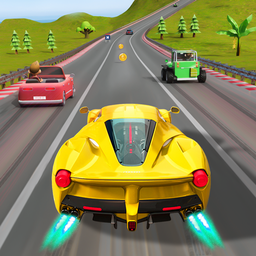
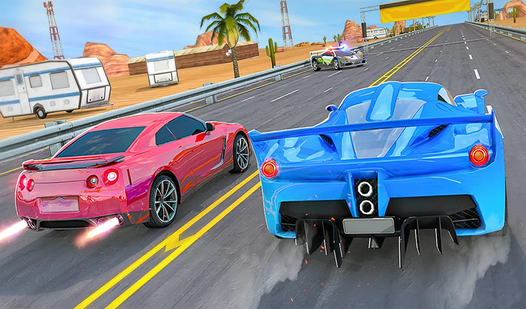
- Weighty physics: Cars have real mass here. You will feel the chassis lean into corners, making high-speed maneuvers a constant gamble.
- Street layouts: The tracks are crowded with obstacles. You have to weave through traffic while keeping your speed high.
- Custom builds: Swap parts to tweak your stats. It changes how your car grips the asphalt.
- Challenging traffic: Opponents are aggressive. They will not hesitate to nudge you off the track if you leave an opening.
How to Play
Urban Car Driving: Master the controls
To learn how to play Urban Car Driving, start by getting a feel for the Urban Car Driving controls. Use the arrow keys to accelerate and brake. The handling feels a bit heavy, so do not expect to drift around every corner like a pro on your first attempt.
Urban Car Driving: Surviving the turns
Slow down before you hit the curves. If you rush, you will smash into the barriers and lose your momentum. A common mistake is holding the accelerate key through tight turns. You need to feather the gas if you want to keep your car in one piece until the finish line.
Who Should Play Urban Car Driving?
Frequently Asked Questions about Urban Car Driving
Can I play Urban Car Driving on my phone?
Yes, it works on mobile devices as well as desktop computers. The touch controls are responsive enough to handle the streets without needing a physical keyboard.
What are the controls for Urban Car Driving?
You use the arrow keys to drive your car. Up accelerates, while the down key helps you brake or reverse when you inevitably hit a wall.
Is Urban Car Driving free to play?
Yes, Urban Car Driving is completely free to play on Nub Games. There are no in-app purchases. No download or registration required.
Can I play Urban Car Driving on mobile?
Urban Car Driving works on both desktop and mobile devices. Best played in landscape mode.
What age rating is Urban Car Driving?
The catalog age rating for Urban Car Driving is 12+.