









Key Features
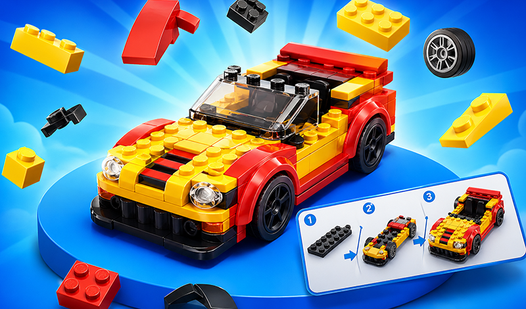
- Brick-by-brick focus: You have to match the silhouettes perfectly. It demands a bit of patience to get the alignment right.
- Virtual garage: Watch your collection of vehicles grow as you complete each model. It gives you a clear sense of progress.
- Relaxing pace: There is no ticking clock breathing down your neck. You can just build at your own speed.
- Clear instructions: The ghosted outlines show you exactly where the next brick goes. It makes the relaxing process much smoother.
How to Play
Build Lego Cars: The basics
To start, use your mouse or touch to drag parts onto the silhouette. The Build Lego Cars controls are pretty simple, but finding the right piece among the four choices takes a second. Don't rush these initial steps. It is easy to misclick if you are moving too fast.
Mastering the Build Lego Cars assembly
Rotate the model to check your angles before you commit to a placement. This is how to play Build Lego Cars effectively. If you pick the wrong piece, just try again. The game doesn't punish you for mistakes, but the camera can feel a bit finicky on smaller screens.
Who Should Play Build Lego Cars?
Frequently Asked Questions about Build Lego Cars
Can I play Build Lego Cars on my phone?
Yes, you can play on any mobile device with a touch screen. The interface scales well, though the smaller parts might be a bit fiddly on tiny phone screens.
How do you rotate pieces in Build Lego Cars?
You don't actually rotate individual bricks, but you do rotate the entire car model. Just click and drag on the screen to view the vehicle from different angles.
Is Build Lego Cars free to play?
Yes, Build Lego Cars is completely free to play on Nub Games. There are no in-app purchases. No download or registration required.
Can I play Build Lego Cars on mobile?
Build Lego Cars works on both desktop and mobile devices. Best played in none mode.
What age rating is Build Lego Cars?
The catalog age rating for Build Lego Cars is 0+.