

Key Features
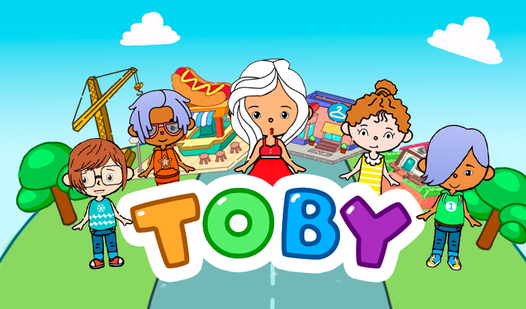
- Creative Freedom: Place furniture anywhere to build your dream home. You get total control over the layout, office gear, and music equipment.
- Style Swaps: Mix and match outfits to create a unique look. Changing your hair and clothes lets you match the themes of different cities.
- City Exploration: Travel between zones to find new events. Discovering new characters helps you unlock gear you cannot get anywhere else.
- Quest Rewards: Complete tasks to earn currency for more items. The more you explore, the faster your home collection grows.
How to Play
Toby: Mastering the Basics
Use your mouse or touch screen to drag items into your room. This is how to play Toby effectively. Start by picking a wall color that matches your furniture set. Do not rush the placement; if you click too fast, you will end up with a sofa inside your wall.
Toby: Customizing Your Look
Click the avatar tab to swap hairstyles and outfits. The Toby controls are simple enough for anyone to pick up quickly. Change your look to match the vibe of the room you just finished building. Remember that some accessories only unlock once you finish specific quests, so keep an eye on your progress.
Who Should Play Toby?
Frequently Asked Questions about Toby
Can I play Toby on my phone?
Yes, you can play on your mobile phone or tablet using your browser. The touch controls work just like a mouse, though you might need to zoom in to place small items accurately.
What are the controls for Toby?
You use your computer mouse or your finger on a touchscreen to drag and drop items. Click the icons on the screen to switch between character customization and room design menus.
Is Toby free to play?
Yes, Toby is completely free to play on Nub Games. There are no in-app purchases. No download or registration required.
Can I play Toby on mobile?
Toby works on both desktop and mobile devices. Best played in landscape mode.
What age rating is Toby?
The catalog age rating for Toby is 0+.