











Key Features
- Block Skin Rewards: Earn experience with every line you clear. You unlock fresh looks for your blocks once you hit specific milestones.
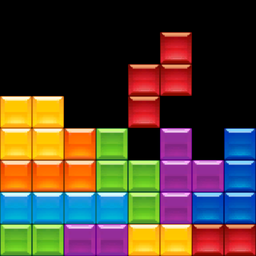
- Minimalist Visuals: The screen stays clean and focused. You won't find distracting clutter while you’re trying to line up that perfect tetris.
- Live Statistics: Track your total lines cleared and high scores. It gives you a clear look at how your skills improve over time.
- Global Leaderboards: Climb the ranks against other players. See exactly where your speed stacks up against the best in the game.
How to Play
TetRash: Mastering the Basics
Use the arrow keys or WASD to nudge pieces into place. If you're on mobile, just swipe. Learning how to play TetRash starts with keeping your stack low. A common mistake is building too high too fast, which leaves you with zero room to maneuver when the long bars arrive.
Using TetRash Controls
Press Space to drop pieces instantly or use Shift to save a block for later. This is vital for surviving the speed spikes. TetRash controls feel a bit twitchy at first, so don't be shocked if you misplace a piece during the first few rounds of high-speed play.
Who Should Play TetRash?
Frequently Asked Questions about TetRash
Can I play TetRash on my phone?
Yes, it works on mobile browsers. You just swipe to move shapes and tap the screen to rotate them, which makes it easy to play on the go.
How do you hold a piece in TetRash?
Hit the Shift key on your keyboard to swap your current block with the one in your hold slot. It is a lifesaver when you need a specific shape.
Is TetRash free to play?
Yes, TetRash is completely free to play on Nub Games. There are no in-app purchases. No download or registration required.
Can I play TetRash on mobile?
TetRash works on both desktop and mobile devices. Best played in none mode.
What age rating is TetRash?
The catalog age rating for TetRash is 0+.