



Key Features
- Smart note system: Keep track of potential candidates in each cell. It stops your brain from melting when the board gets crowded.
- Clear mistake tracking: The game tracks your errors. You get three strikes before the grid resets.
- Four difficulty levels: Switch between easy and expert modes to find your rhythm. The higher tiers will force you to actually think.
- Persistent state: Your progress saves locally. You can close your tab and pick up right where you left off later.
How to Play
Sudoku 2.0: Master the grid basics
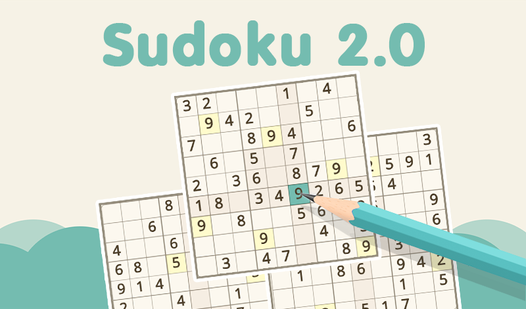
To learn how to play Sudoku 2.0, tap any cell to select it and punch in a number. Your goal is to fill the board so each row, column, and 3x3 square contains digits one through nine without repeats. Use the Sudoku 2.0 controls on your touchscreen or mouse to toggle notes.
Sudoku 2.0: Avoid the strike zone
The game allows for three mistakes before you lose, so pay attention. Using the eraser or undo button helps when you spot a bad move early. Do not just guess blindly. A common mistake is filling cells too fast without considering the cross-section of your rows. Take your time.
Who Should Play Sudoku 2.0?
Frequently Asked Questions about Sudoku 2.0
Can I play Sudoku 2.0 on my phone?
Yes, it works perfectly on mobile devices. Just open the page in your phone browser, and the touch controls handle the grid selection without any extra setup or installation.
How do I use notes in Sudoku 2.0?
Toggle the notes mode by tapping the pencil icon. This lets you pencil in multiple numbers per cell so you can narrow down your options before committing to a final digit.
Is Sudoku 2.0 free to play?
Yes, Sudoku 2.0 is completely free to play on Nub Games. There are no in-app purchases. No download or registration required.
Can I play Sudoku 2.0 on mobile?
Sudoku 2.0 works on both desktop and mobile devices. Best played in none mode.
What age rating is Sudoku 2.0?
The catalog age rating for Sudoku 2.0 is 6+.