

















Key Features
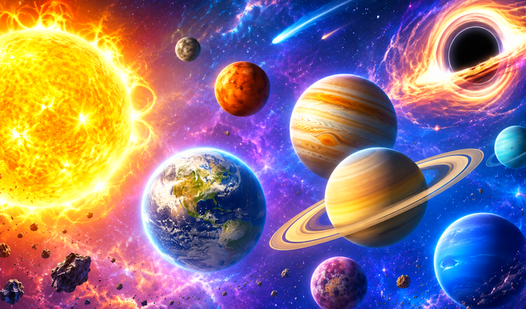
- Gravity manipulation: Adjusting the mass of a star makes everything nearby swing wildly out of place. Watch your carefully planned orbits disintegrate instantly.
- Orbital trails: These neon lines show exactly where your planets are headed. They make the chaos look like high-end art.
- Time speed: Slow down the simulation to watch a collision happen frame by frame. It is the best way to spot where your math failed.
- Scenario saves: You can keep your favorite systems for later. It is a relief when you finally build something that does not explode.
How to Play
Space Sandbox: Master the physics
Use your mouse to place stars and planets. Space Sandbox controls rely on simple clicks to drop objects into the void. Drag your cursor to set the initial velocity of your new moon. Just be careful with mass, because placing a black hole too close to your home planet usually ends in a total disaster.
Refining your Space Sandbox system
If you want to know how to play Space Sandbox effectively, use the focus tool. It locks the camera onto a specific object so you can track its orbital path as it moves. Don't worry if your orbits look messy at first. Most players forget to stabilize their mass early on.
Who Should Play Space Sandbox?
Frequently Asked Questions about Space Sandbox
Can I play Space Sandbox on my phone?
Yes, you can run it on mobile devices since it works in your web browser. The touch interface is decent, though dragging tiny planets can feel a bit cramped on smaller screens.
How do you delete objects in Space Sandbox?
You can remove any star or planet by selecting the delete tool and clicking on the object. It is the only way to clear out the junk when your galaxy gets too crowded.
Is Space Sandbox free to play?
Yes, Space Sandbox is free to play on Nub Games. No download or registration required.
What age rating is Space Sandbox?
The catalog age rating for Space Sandbox is 6+.