

















Key Features
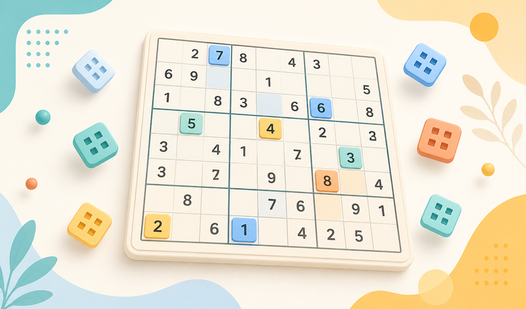
- Four grid types: Switch between classic squares and wonky island regions. The irregular shapes force you to rethink your standard scanning patterns entirely.
- Persistent save states: Close your browser and the board remains exactly as you left it. Your progress stays safe.
- Toggleable mistake check: Enable the highlighter to catch blunders instantly. It keeps the game chill instead of becoming a source of stress.
- Note-taking tools: Jot down possibilities in the corners of cells. It is the only way to survive the harder diagonal variants.
How to Play
Mastering Slow Sudoku basics
Click any cell to input a number or toggle notes. Use your mouse or tap the screen to navigate the grid. You need to learn how to play Slow Sudoku by spotting patterns rather than guessing. If you rush, you will inevitably place a duplicate number and ruin your entire streak.
Using Slow Sudoku controls
The Slow Sudoku controls are straightforward, but the mistake checker is your best friend. Turn it on early. It highlights errors immediately so you do not waste ten minutes solving a broken board. Just watch out, because those irregular island regions in the advanced modes feel like a total nightmare.
Who Should Play Slow Sudoku?
Frequently Asked Questions about Slow Sudoku
How do you use notes in Slow Sudoku?
Select the note icon from the menu bar to enter small numbers into a cell. This allows you to track potential candidates without committing to a final answer.
Can I play Slow Sudoku on my phone?
Yes, it works perfectly on mobile browsers. You can tap to fill cells easily, though the smaller screens make the complex island regions feel a bit cramped.
Is Slow Sudoku free to play?
Yes, Slow Sudoku is free to play on Nub Games. No download or registration required.
What age rating is Slow Sudoku?
The catalog age rating for Slow Sudoku is 0+.