
Key Features
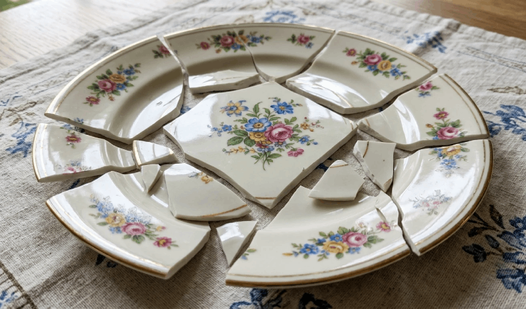
- Porcelain physics: Pieces slide across the table with weight. You feel the difference between a large base and a tiny chip.
- Hand-painted art: The brushstrokes guide your eyes. Follow the lines to rebuild the image.
- Zero pressure: No timer exists to rush your movements. You can stare at the shards for an hour.
- Custom chaos: The free mode lets you choose the piece count. Break a simple plate or turn it into dust.
How to Play
Shards!: The basics
Use your mouse to drag and rotate the pieces until the edges line up. You need to look at the painted patterns to figure out where they go. Learning how to play Shards! takes seconds, but lining up those tiny, jagged edges can be a pain when you move too fast.
Mastering Shards! controls
Click and hold a piece to move it across the table. Use the secondary click or your scroll wheel to spin the shard. Shards! controls feel a bit slippery at first, so stop trying to force pieces together if they do not click instantly. Patience is the only way to win.
What happens in Shards! later?
The plates get more complex with extra pieces as you progress. Eventually, you will encounter patterns that look nearly identical, making it a nightmare to find the right spot. Just breathe and keep spinning; the pieces will eventually lock into place once you hit the perfect angle.
Who Should Play Shards!?
Frequently Asked Questions about Shards!
Can I play Shards! on my phone?
Yes, you can pull up the game on your mobile browser. The touch controls work well for dragging pieces, though smaller screens make the tiny shards a bit harder to see.
How do you rotate pieces in Shards!?
You rotate pieces by using the secondary click or your scroll wheel while holding the shard. It takes a moment to get the sensitivity right, but it becomes second nature quickly.
Is Shards! free to play?
Yes, Shards! is free to play on Nub Games. No download or registration required.
What age rating is Shards!?
The catalog age rating for Shards! is 6+.