












Key Features
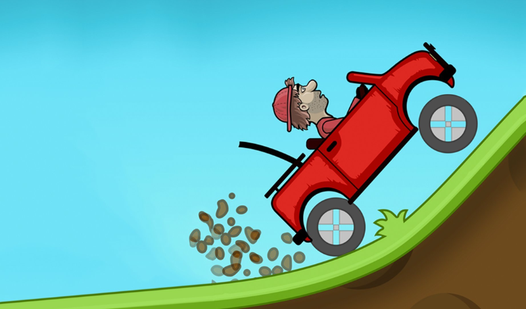
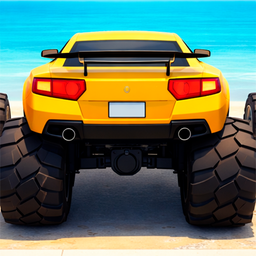
- Physics-based chaos: Changing your wheel size shifts your center of gravity. You will constantly fight the car to keep it upright.
- Thirty grueling tracks: The difficulty spikes hard after the first few zones. Expect to rage-quit, then immediately try again.
- Upgrade your jump: Spend your coins on better acceleration. It makes clearing those final jumps much less of a headache.
- Simple [desktop](/tag/desktop) setup: It runs right in your browser. No extra files cluttering your machine.
How to Play
Mastering Scale the wheels controls
Use the slider on your screen to grow or shrink those wheels. Small wheels mean speed, while big wheels are for climbing over walls. Scale the wheels controls are simple, but you will mess up spectacularly at first. You have to anticipate the terrain before you reach it.
How to play Scale the wheels like a pro
Gaining speed is the secret sauce for clearing big pits. If you get stuck on a ledge, toggle your tire size rapidly to bounce your way out. Learning how to play Scale the wheels is mostly about timing your transitions. Don't be afraid to hit that restart button when things go south.
Who Should Play Scale the wheels?
Frequently Asked Questions about Scale the wheels
How do you unstuck your car in Scale the wheels?
If your car stops moving entirely, mash the size slider back and forth to bounce it loose. If that fails, just hit the restart button to try the level again.
Can I play Scale the wheels on my phone?
Yes, it works fine on mobile devices. Just use your touch screen to slide the wheel size control and you're good to go.
Is Scale the wheels free to play?
Yes, Scale the wheels is completely free to play on Nub Games. There are no in-app purchases. No download or registration required.
Can I play Scale the wheels on mobile?
Scale the wheels works on both desktop and mobile devices. Best played in none mode.
What age rating is Scale the wheels?
The catalog age rating for Scale the wheels is 0+.