






Key Features
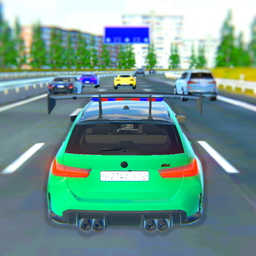
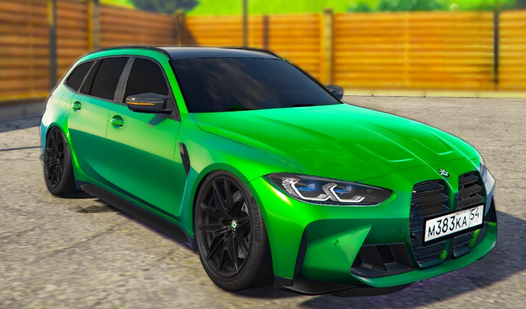
- Highway physics: The weight of your sports wagon shifts in turns. You'll feel the tires lose traction if you take corners too aggressively.
- Custom tuning: Pop the hood to tweak your ride. It changes how the car handles on the asphalt.
- Signal mechanics: Use your indicators to weave safely. It adds a weirdly satisfying rhythm to your lane changes.
- High beam mode: Toggle L to light up the road. Great for those late-night sessions when visibility drops.
How to Play
Rush on M3: Mastering the wheel
Use WASD or arrow keys to steer your ride. Rush on M3 controls feel a bit floaty at highway speeds, so don't overcorrect or you'll spin into the barrier. Practice using your signals with Q and E to keep your lane discipline tight while you get used to the physics.
How to play Rush on M3 at speed
Hit F to engage your acceleration, but watch your spacing. A common mistake is slamming the handbrake with Space too late, which usually ends in a pileup. Once you learn how to play Rush on M3 properly, the highway opens up and you can really start pushing for those high-speed drifts.
Who Should Play Rush on M3?
Frequently Asked Questions about Rush on M3
Can I play Rush on M3 on my phone?
Yes, it works on mobile devices as well as desktop. You can take your driving session anywhere as long as you have a stable connection to the site.
How do you drift in Rush on M3?
You need to tap the Space key while turning sharply at high speeds. It takes practice to find the right entry point, so expect to hit some guardrails early on.
Is Rush on M3 free to play?
Yes, Rush on M3 is completely free to play on Nub Games. There are no in-app purchases. No download or registration required.
Can I play Rush on M3 on mobile?
Rush on M3 works on both desktop and mobile devices. Best played in none mode.
What age rating is Rush on M3?
The catalog age rating for Rush on M3 is 6+.