








Key Features
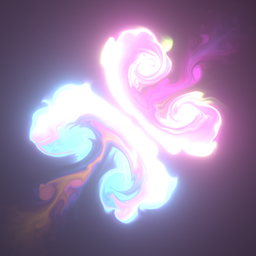
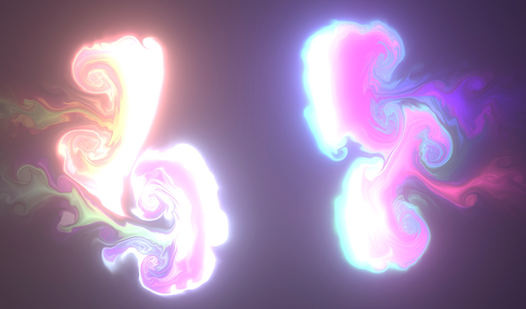
- Fluid Physics: The liquid reacts to every touch with heavy, realistic weight. It feels more like thick oil than thin water.
- Color Blending: Colors mix based on your stroke speed and direction. You can create complex marble patterns if you focus.
- Performance Tweak: You can crank down the resolution if your laptop starts sounding like a jet engine. It handles high-quality visuals well.
- Endless Canvas: There is no goal. Just pure, messy experimentation that resets whenever you feel like starting fresh.
How to Play
Mastering Relax game basics
Use your mouse or touch to drag colors across the surface. These are your primary Relax game controls. You want to swirl the liquid slowly to get those long, ribbon-like trails. Moving too fast just creates a chaotic blob that ruins the aesthetic. Take your time to understand the physics.
How to play Relax game effectively
The secret is to let the liquid settle before you start your next stroke. If you crowd the screen with too many inputs at once, the simulation chokes and gets jittery. This is a common mistake that kills the vibe. Keep your movements deliberate to keep the frame rate stable.
Who Should Play Relax game?
Frequently Asked Questions about Relax game
Can I play Relax game on my phone?
Yes, you can run it right in your mobile browser. The touch response is actually better than using a mouse for those long, sweeping curves.
What are the controls for Relax game?
You just need to swipe or click and drag across the screen. There are no menus or complex keybinds to memorize, just keep your finger moving.
Is Relax game free to play?
Yes, Relax game is completely free to play on Nub Games. There are no in-app purchases. No download or registration required.
Can I play Relax game on mobile?
Relax game works on both desktop and mobile devices. Best played in portrait mode.
What age rating is Relax game?
The catalog age rating for Relax game is 6+.