










Key Features
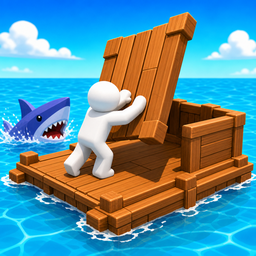
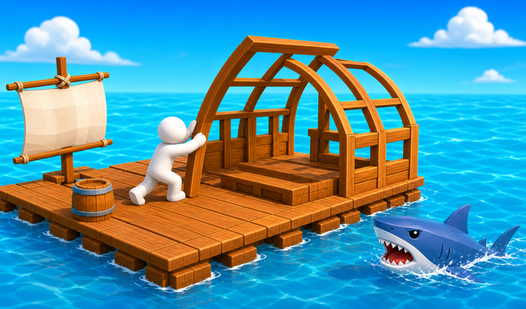
- Shark defense: The shark bites back if your raft is too thin. You must reinforce the edges or lose your hard-earned materials.
- Resource collection: Dragging debris with your hook feels tactile. It’s the only way to grow your tiny shack into a floating fortress.
- Base building: Expansion is everything. Your space is limited, so plan your layout carefully before the ocean swallows your progress.
- Net automation: Set your nets to catch loot automatically. This lets you focus on upgrading while the ocean does the heavy lifting.
How to Play
Mastering Raft City Idle movement
Use your mouse to drag items onto your deck or tap on mobile. These Raft City Idle controls feel a bit sticky at first, so don’t panic if you miss your first few grabs. Learn how to play Raft City Idle by prioritizing planks early on.
Expanding in Raft City Idle
Build your base wide to avoid that shark tearing off your corners. Most players forget to check their nets, which is a massive mistake that slows your progress to a crawl. Keep those nets full and watch your resources stack up while you focus on the bigger, scarier upgrades.
Who Should Play Raft City Idle?
Frequently Asked Questions about Raft City Idle
How do you defend your raft in Raft City Idle?
You need to reinforce the outer edges of your structure to stop the shark from breaking your progress. If you ignore your walls, you will lose your base piece by piece.
Can I play Raft City Idle on my phone?
Yes, it works perfectly on mobile browsers. Just use your finger to drag the building materials onto your raft and you are set to play anywhere you want.
Is Raft City Idle free to play?
Yes, Raft City Idle is completely free to play on Nub Games. There are no in-app purchases. No download or registration required.
Can I play Raft City Idle on mobile?
Raft City Idle works on both desktop and mobile devices. Best played in none mode.
What age rating is Raft City Idle?
The catalog age rating for Raft City Idle is 12+.