











Key Features
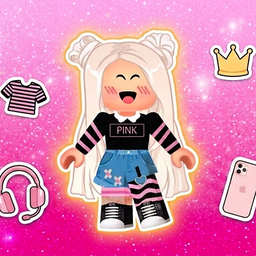
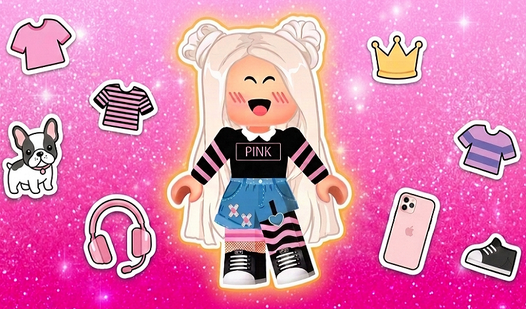
- Extensive Wardrobe: Select from dresses, skirts, and tops in a Roblox style. These clothing items allow you to build specific looks for your character.
- Pet Companions: Choose kittens or puppies to stand beside your avatar. These animals add a unique touch to your final scene.
- Expression Selection: Pick facial expressions to define the mood of your avatar.
- Background Choices: Select a beautiful scene for your character. A good background makes your avatar stand out in the saved gallery image.
How to Play
Queenka Avatar: Create a Character: Getting Started
To learn how to play Queenka Avatar: Create a Character, use your mouse or touch input to navigate the menu. Select a character first to begin your makeover journey. Making this choice early sets the stage for all the fashion items you will select later.
Customizing Queenka Avatar: Create a Character
Explore the wardrobe to try on various outfits and hairstyles. You should cycle through the different categories to see how accessories and pets change the look. Saving your final character to your gallery ensures you keep a record of every design you build.
Who Should Play Queenka Avatar: Create a Character?
Frequently Asked Questions about Queenka Avatar: Create a Character
Can I play Queenka Avatar: Create a Character on my phone?
Yes, the game is supported on mobile devices. You can use touch controls to manage your character creation on the go.
How do I save my work in Queenka Avatar: Create a Character?
Use the camera function within the interface to save your character. This allows you to fill your gallery with your own custom designs.
Is Queenka Avatar: Create a Character free to play?
Yes, Queenka Avatar: Create a Character is completely free to play on Nub Games. There are no in-app purchases. No download or registration required.
Can I play Queenka Avatar: Create a Character on mobile?
Queenka Avatar: Create a Character works on both desktop and mobile devices. Best played in landscape mode.
What age rating is Queenka Avatar: Create a Character?
The catalog age rating for Queenka Avatar: Create a Character is 6+.