




Key Features
- Snappy interface: The menus respond instantly to your clicks. You won't find any laggy transition screens here.
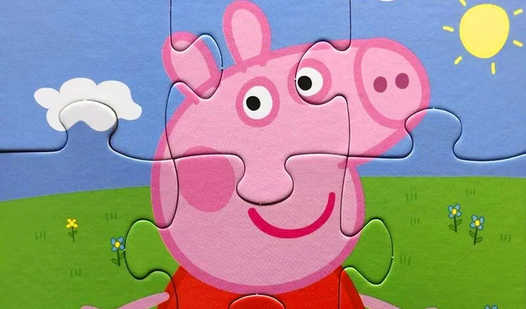
- Visual variety: Every image features a different scene from the show. It keeps the eyes busy while you search for the right corner.
- Smart hints: The hint system glows when you're dragging a piece near its correct home. It’s a lifesaver when the colors start to look identical.
- Mobile friendly: The touch controls work well on a phone screen. You don't need a precision mouse to nail a perfect fit.
How to Play
Mastering Puzzles. Peppa Pig! mechanics
To start, use your mouse to select an image from the menu. Once you’re in, the Puzzles. Peppa Pig! controls rely on simple left-clicks. Just drag and drop those pieces into the frame. Most players mess up by trying to force pieces into the wrong spot early on.
Tips for Puzzles. Peppa Pig! success
If you’re stuck, hit the hint button to see where a piece belongs. That’s how to play Puzzles. Peppa Pig! without losing your mind. Avoid the common mistake of ignoring the edges; always build your frame first. Once you finish the basics, future levels get a bit more crowded.
Who Should Play Puzzles. Peppa Pig!?
Frequently Asked Questions about Puzzles. Peppa Pig!
Can I play Puzzles. Peppa Pig! on my phone?
Yes, it runs right in your mobile browser. Just tap and drag the pieces just like you would on a desktop computer.
What are the controls for Puzzles. Peppa Pig!?
You only need a mouse or your finger. Use them to drag and drop puzzle pieces into the empty slots until the image is complete.
Is Puzzles. Peppa Pig! free to play?
Yes, Puzzles. Peppa Pig! is completely free to play on Nub Games. There are no in-app purchases. No download or registration required.
Can I play Puzzles. Peppa Pig! on mobile?
Puzzles. Peppa Pig! works on both desktop and mobile devices. Best played in landscape mode.
What age rating is Puzzles. Peppa Pig!?
The catalog age rating for Puzzles. Peppa Pig! is 6+.