











Key Features
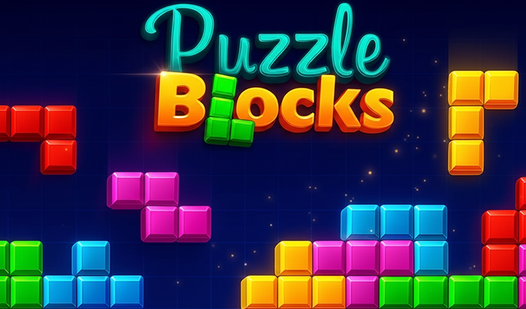
- Grid Logic: The board demands total focus. One bad placement ruins your entire run.
- Geometry Shifts: Later pieces are jagged and awkward. They force you to abandon your early, cleaner habits.
- Endless Mode: The game keeps going until you're completely boxed in. There is no mercy for poor planning.
- Visual Clarity: The clean aesthetic helps you track patterns. It keeps the chaos organized while you panic.
How to Play
Puzzle Blocks: The Basics
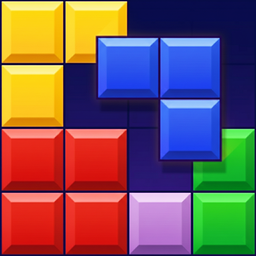
Use your mouse or tap the screen to drag shapes onto the board. Puzzle Blocks controls are simple, but don't get cocky. You need to fill entire rows or columns to clear them. If you just dump pieces randomly, you'll hit a dead end within seconds.
How to play Puzzle Blocks with strategy
Focus on keeping the center clear. A common mistake is building walls on the edges that trap your future moves. You have to look three steps ahead or the board will lock up. Once you reach the later stages, the piece shapes get weird and start ruining your perfect lines.
Who Should Play Puzzle Blocks?
Frequently Asked Questions about Puzzle Blocks
How do you clear lines in Puzzle Blocks?
You must place blocks to fill an entire horizontal or vertical row. Once that line is solid, it vanishes and gives you more room to breathe.
Can I play Puzzle Blocks on my phone?
Yes, it works fine on mobile browsers. The touch controls are responsive enough, though small screens can make it harder to see the edges during intense runs.
Is Puzzle Blocks free to play?
Yes, Puzzle Blocks is completely free to play on Nub Games. Optional in-app purchases are available. No download or registration required.
Can I play Puzzle Blocks on mobile?
Puzzle Blocks works on both desktop and mobile devices. Best played in portrait mode.
What age rating is Puzzle Blocks?
The catalog age rating for Puzzle Blocks is 6+.