













Key Features
- Diamond Progression: Completing a picture grants currency. Spend these diamonds to unlock bigger, more complex canvases that take serious time to finish.
- Grid Zoom: Fine-tune your view with a quick pinch or scroll. It prevents those annoying mis-clicks on smaller, crowded areas.
- Themed Collections: Pick from a dozen categories. Some are quick, but the large-scale portraits are a grind.
- Ranking Climb: Compete for a spot on the global leaderboard. It adds a competitive edge to what is otherwise a chill experience.
How to Play
PixelArt: Color the Pixels: Getting Started
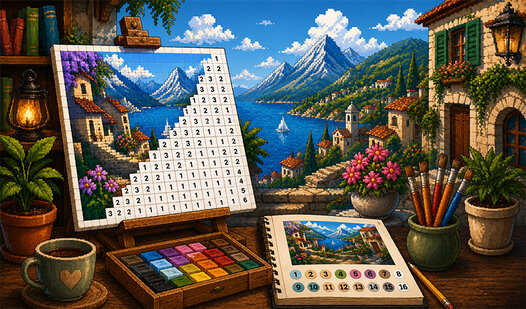
Use your mouse or tap the screen to select a color from the bottom bar. The PixelArt: Color the Pixels controls highlight every matching square on the grid. Just tap the area to fill it. Most people forget to zoom in early, which leads to tapping the wrong pixel and losing focus.
How to play PixelArt: Color the Pixels efficiently
Focus on one number at a time to clear the board faster. You earn diamonds for every completed image, which lets you buy new categories. Learning how to play PixelArt: Color the Pixels is simple, but the later, massive images will test your patience before you finally reach that completion screen.
Who Should Play PixelArt: Color the Pixels?
Frequently Asked Questions about PixelArt: Color the Pixels
How do you unlock new images in PixelArt: Color the Pixels?
You earn diamonds by finishing current pictures and then spend them in the shop. Keep knocking out smaller images to build your bank for the massive ones.
Can I play PixelArt: Color the Pixels on my phone?
Yes, it works perfectly on mobile browsers. The touch controls are actually better than a mouse for filling in those tiny, stubborn spots.
Is PixelArt: Color the Pixels free to play?
Yes, PixelArt: Color the Pixels is free to play on Nub Games. Optional in-app purchases are available. No download or registration required.
What age rating is PixelArt: Color the Pixels?
The catalog age rating for PixelArt: Color the Pixels is 6+.