










Key Features
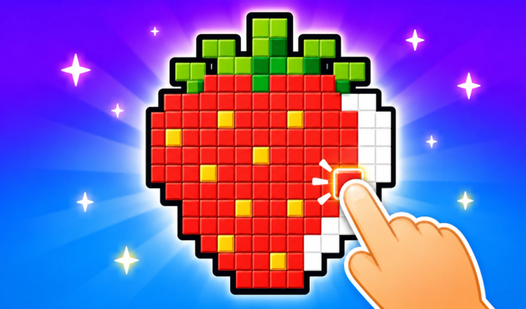
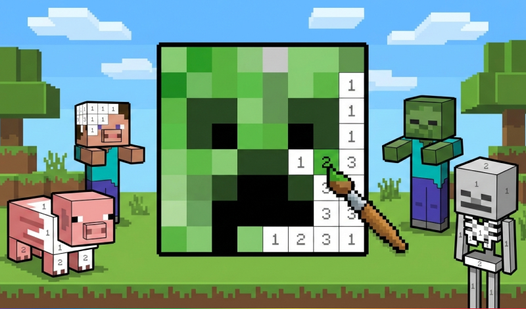
- Clean Grid Logic: Each level forces you to match specific numbers to colors. You have to focus or the final image looks like a total wreck.
- Steady Progression: The shapes start simple, but they quickly grow into complex patterns. Your brain has to adjust to the higher cell counts.
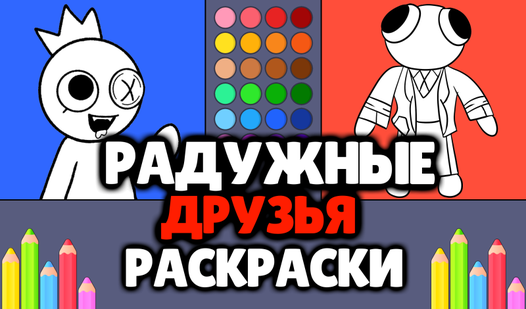
- Minimalist Interface: Everything stays out of your way. You only see the palette and the canvas.
- Relaxing Audio: The background loops are low-key. They stay in the background so you can actually think about which pixel goes where next.
How to Play
Pixel Paint Master: The Basics
To learn how to play Pixel Paint Master, just look at the empty grid and pick a color from the palette. Use your mouse or tap the screen to fill in the matching cells. Pixel Paint Master controls are simple, but don't rush your clicks or you will miss the target colors.
Pixel Paint Master: Avoiding Mistakes
Watch your color selection closely. If you tap the wrong cell, the game doesn't always make it obvious that you messed up until you finish the whole image. It is common to miscount the grid coordinates when you go fast. Take your time to ensure your art looks like the reference picture.
Who Should Play Pixel Paint Master?
Frequently Asked Questions about Pixel Paint Master
Can I play Pixel Paint Master on my phone?
Yes, you can play on your phone. The touch controls for Pixel Paint Master work just as well as a mouse, though tiny screens make the grid feel a bit cramped.
How do you finish a level in Pixel Paint Master?
You finish by coloring every single cell on the grid correctly. If you leave even one spot empty, the image remains incomplete and the level won't count as finished.
Is Pixel Paint Master free to play?
Yes, Pixel Paint Master is free to play on Nub Games. No download or registration required.
What age rating is Pixel Paint Master?
The catalog age rating for Pixel Paint Master is 0+.