

















Key Features
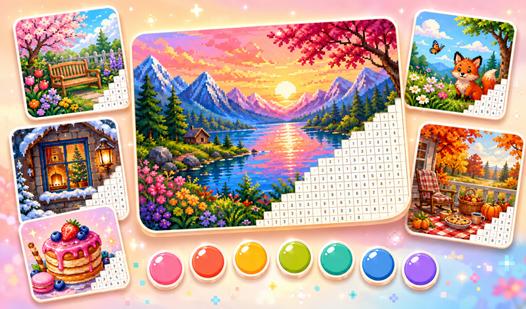
- Color-coded clarity: Numbers guide your every move. You never have to guess which shade goes in which spot.
- Cozy visual themes: Pick from food, nature, or cute rooms. The art style shifts based on the vibe you choose.
- Persistent progress: The game saves your work automatically. You can step away and return to your masterpiece whenever you want.
- Low-stakes pacing: There is no timer breathing down your neck. You set the speed entirely on your own terms.
How to Play
Pixel Coloring: How to get started
Tap a color from the bottom palette, then hunt for the matching numbers on the grid. This is how to play Pixel Coloring. Use your mouse or touchscreen to fill every cell. The Pixel Coloring controls are simple enough, but you might accidentally click the wrong square if you rush.
Pixel Coloring: Mastering the grid
Zoom in when the map gets crowded. It saves you from squinting at tiny digits. Stick to one color group until you finish it. This keeps your view clean and prevents you from jumping around like a headless chicken. Later levels get dense, so stay patient.
Who Should Play Pixel Coloring?
Frequently Asked Questions about Pixel Coloring
Can I play Pixel Coloring on my phone?
Yes, it works perfectly on mobile browsers. You just need a stable connection to keep your progress synced while you color on the go.
How many levels does Pixel Coloring have?
The game includes a massive library of images across various categories. You will unlock more as you finish the initial set of puzzles.
Is Pixel Coloring free to play?
Yes, Pixel Coloring is free to play on Nub Games. No download or registration required.
What age rating is Pixel Coloring?
The catalog age rating for Pixel Coloring is 0+.