Key Features
- Tight corridors: The hitboxes are unforgiving. Clipping a wing means an instant restart, so keep your eyes glued to the center of the path.
- Momentum shifts: Speed pads launch you forward. You have to react before your brain even registers the change in velocity.
- Checkpoint system: Levels are split into segments. It saves your progress so you don't lose everything on a single bad turn.
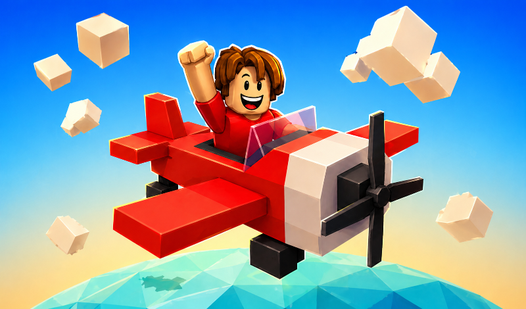
- Visual clarity: The bright color scheme helps you spot the next gate quickly. It keeps the focus on your flight trajectory.
How to Play
Mastering Pilot Obby movement
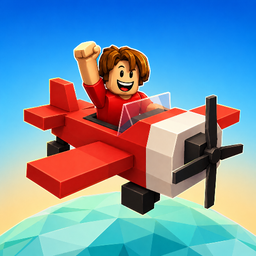
Use WASD or tap the screen to keep your wings level. You need to learn how to play Pilot Obby by treating the plane like it's made of glass. Jerky movements often send you spiraling into the abyss. Keep your inputs small to avoid overcorrecting your flight path during tight turns.
Pilot Obby controls and tips
Your Pilot Obby controls feel a bit floaty at first, which makes precise gaps a nightmare. A common mistake is holding the keys too long. Tap them instead. You will find that the later levels demand near-perfect timing, so get comfortable with the sensitivity before the track gets truly chaotic.
Who Should Play Pilot Obby?
Frequently Asked Questions about Pilot Obby
Can I play Pilot Obby on my phone?
Yes, it works perfectly on mobile devices. Just tap the screen to steer your plane through the course without needing a mouse or keyboard.
What are the controls for Pilot Obby?
You use WASD keys on a computer to bank and steer. If you are on a phone, use your thumbs to tap the sides of the screen.
Is Pilot Obby free to play?
Yes, Pilot Obby is completely free to play on Nub Games. There are no in-app purchases. No download or registration required.
Can I play Pilot Obby on mobile?
Pilot Obby works on both desktop and mobile devices. Best played in landscape mode.
What age rating is Pilot Obby?
Pilot Obby has a content rating of 6++. It is suitable for all ages.