







Key Features
- Smart Scaling: The difficulty shifts based on your current hit rate. You get pushed harder as soon as you find a rhythm.
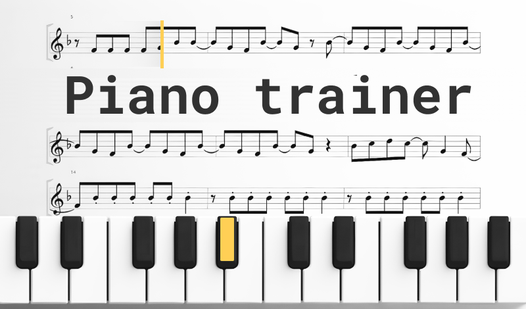
- Visual Cues: Notes highlight before they arrive. It helps you anticipate the next move.
- Sheet Feedback: The interface tracks every wrong note. You see exactly where your finger slipped.
- Progress Tracking: Your stats update after every session. It shows how much you improved.
How to Play
Piano trainer: Getting started
Your first task involves learning the Piano trainer controls. Click the keys on your screen to match the notes shown above the staff. Using your mouse or tapping the screen is the primary way to play Piano trainer. Most folks rush the tempo, which is a common mistake that ruins your accuracy score.
Mastering Piano trainer patterns
Once you get the hang of basic chords, the game starts throwing complex scales at you. You have to watch the indicators closely. The app forces you to correct mistakes immediately, preventing you from building bad habits. It feels like a strict tutor who refuses to let you skip the hard parts.
Who Should Play Piano trainer?
Frequently Asked Questions about Piano trainer
Can I play Piano trainer on my phone?
Yes, it works on mobile browsers. You just tap the keys directly on your touchscreen to play while on the go.
How do you handle the speed in Piano trainer?
You adjust the tempo settings in the menu to match your skill level. Start slow to internalize the finger placement before cranking up the speed.
Is Piano trainer free to play?
Yes, Piano trainer is completely free to play on Nub Games. Optional in-app purchases are available. No download or registration required.
Can I play Piano trainer on mobile?
Piano trainer works on both desktop and mobile devices. Best played in none mode.
What age rating is Piano trainer?
The catalog age rating for Piano trainer is 6+.