



Key Features
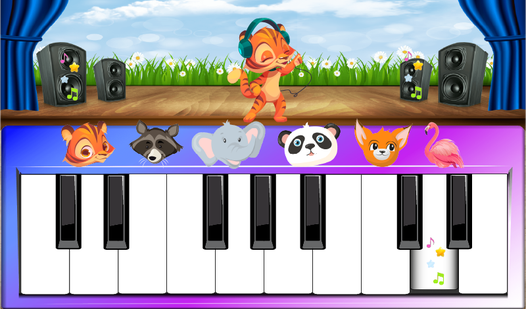
- Massive sound array: With 20 different instruments ranging from bagpipes to bongos, you can create some truly bizarre musical mashups. It sounds like a chaotic orchestra.
- Interactive animal puzzles: Drag and drop pieces to fit the silhouettes. It keeps things moving while you hunt for the correct match.
- Bursting bubble surprises: Pop bubbles to hear random car engines or animal calls. It is a silly way to break up the music practice.
- Twenty-two screens: The game spans a surprisingly large map. You will spend plenty of time clicking through every single one.
How to Play
Piano for kids: How to get started
The Piano for kids controls involve simple clicks or taps on your screen. You just point your mouse or finger at the keys to make noise. If you are learning how to play Piano for kids, start by clicking the colorful instrument icons to see what sounds they make.
Piano for kids: Master the puzzles
Drag the animal icons onto their matching silhouettes to clear the screen. Don't worry if you miss the spot; the game just bounces the piece back. The main mistake is clicking too fast, which causes the audio to overlap and sound like a total disaster. Just take it slow.
Piano for kids: What comes next?
Once you finish the puzzle screens, look for the bubbles. Clicking them triggers random vehicle or animal noises that catch you off guard. The game gets busier as you cycle through the 22 screens, so keep your ears open for the hidden sounds tucked behind the interface.
Who Should Play Piano for kids?
Frequently Asked Questions about Piano for kids
Can I play Piano for kids on my phone?
Yes, it works perfectly on mobile devices. Just open your browser and tap the screen to start playing the instruments.
How many levels does Piano for kids have?
There are 22 distinct game screens to explore. Each one brings a different set of instruments or puzzles to solve.
What are the controls for Piano for kids?
You only need a mouse or your finger. Simply tap, click, or drag items across the screen to interact with the game.
Is Piano for kids free to play?
Yes, Piano for kids is completely free to play on Nub Games. There are no in-app purchases. No download or registration required.
Can I play Piano for kids on mobile?
Piano for kids works on both desktop and mobile devices. Best played in landscape mode.
What age rating is Piano for kids?
The catalog age rating for Piano for kids is 0+.