





Key Features
- Versatile instrument library: Switch between a harp, drums, or the cat piano. Each one changes the texture of the songs you play.
- Song recording engine: Capture your own compositions. You can listen back to your tracks to spot mistakes or just enjoy the chaos.
- Interactive learning modes: The teacher voice-over helps with alphabet and math. It keeps things moving while you click through the lessons.
- Classic melody collection: Practice famous tunes like Kalinka-Malinka. It is a solid way to test your coordination.
How to Play
How to play Paino for kids
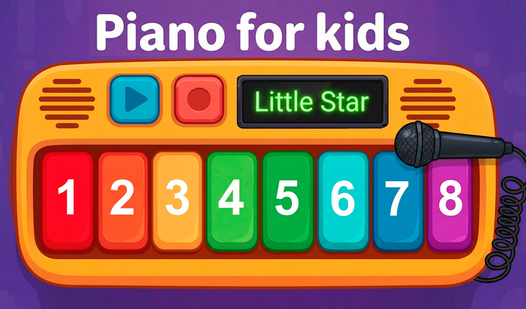
Use your mouse or tap the screen to hit the keys. Every instrument gives off a different vibe, so click around to find your favorite sound. The Paino for kids controls are straightforward, but watch your rhythm. Beginners often mash keys too fast, which turns a melody into a wall of noise.
Mastering melodies in Paino for kids
Select a song from the list to get started. Focus on the timing of the notes as they appear on the screen. Once you get comfortable, hit the record button to save your masterpiece. You will find that the flute section demands much tighter precision than the drums.
Who Should Play Paino for kids?
Frequently Asked Questions about Paino for kids
Can I play Paino for kids on my phone?
Yes, it runs perfectly on mobile browsers. You can tap the keys just like a real instrument without needing to install an app.
How do you record songs in Paino for kids?
Click the record button before you start playing a melody. Once you finish your performance, tap stop to save the audio file for playback.
Is Paino for kids free to play?
Yes, Paino for kids is completely free to play on Nub Games. There are no in-app purchases. No download or registration required.
Can I play Paino for kids on mobile?
Paino for kids works on both desktop and mobile devices. Best played in landscape mode.
What age rating is Paino for kids?
The catalog age rating for Paino for kids is 6+.