

















Key Features
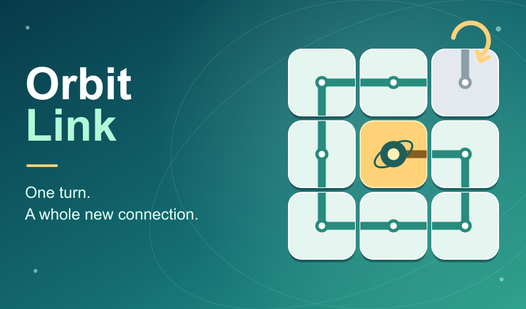
- Energy Chain Reactions: Connected lines light up to show the current reach of your power. Build longer chains to deliver energy across the entire station board.
- Portal Transfers: Violet portals link distant parts of the grid. These allow you to jump energy across the board to reach isolated nodes.
- Anomaly Puzzles: Every fifth level introduces a distinct anomaly puzzle. Completing these specific challenges advances the station restoration process.
- Fog Concealment: Hidden nodes remain obscured until you deliver power to them. You must clear the fog to reveal the remaining layout.
How to Play
Mastering Orbit Link rotations
To learn how to play Orbit Link, press a node to rotate its lines 90 degrees clockwise. You need to align these lines with neighboring tiles to build a complete network. If you struggle with a layout, use the Hint button to get help or press Restart to reset the grid.
Orbit Link controls and navigation
The Orbit Link controls depend on your device. Left-click a node on a computer or tap it on a phone. For large boards, use the plus and minus buttons to zoom in or out. Drag the board to inspect your connections or pinch with two fingers on a mobile screen.
Who Should Play Orbit Link?
Frequently Asked Questions about Orbit Link
Can I play Orbit Link on my phone?
Yes, you can play this game on mobile devices. Simply tap the nodes to rotate them and use a two-finger pinch gesture to zoom in on larger boards.
What are the controls for Orbit Link?
On a computer, use your mouse to left-click nodes. On mobile, use your finger to tap and rotate tiles. Buttons are provided for zooming and requesting hints.
How do I earn a move refund?
You can earn a move refund by performing three useful moves in a row. This helps you reach your goal of powering the entire grid in fewer total turns.
Is Orbit Link free to play?
Yes, Orbit Link is free to play on Nub Games. No download or registration required.
What age rating is Orbit Link?
The catalog age rating for Orbit Link is 6+.