





Key Features
- Signal Syncing: Matching waves to antennas feels like a mini-game inside a platformer. You have to watch the screen closely to avoid signal drift.
- Vertical Puzzles: Climbing buildings requires precise jumps on small platforms. One slip and you're back at the lobby.
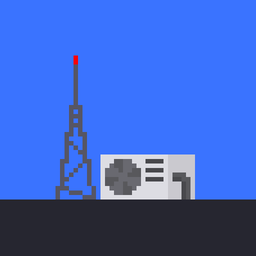
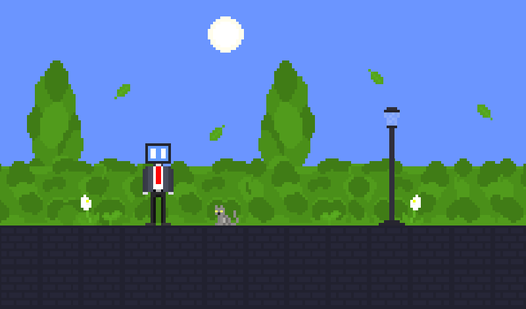
- Retro Aesthetic: The pixel art style keeps things clean. It looks like a classic handheld title.
- Progress Warning: The game doesn't save your session. If you quit, you start from zero.
How to Play
Onda Mano: Mastering the Ascent
Use WASD or your touch screen to navigate between AC units. You’ll need to hit those jumps with a bit of momentum. Press E to enter buildings, but watch your footing. Most players fail because they rush the platforming. Learning the Onda Mano controls takes a moment, so keep your cool.
Tuning into Onda Mano frequency
Once you hit the roof, smash R to pull up your oscilloscope. You have to sync the waves to the antenna’s frequency. A green pulsating light means you nailed it. If you’re struggling, how to play Onda Mano effectively means checking your signal mode—Radio or TV—before you try to activate the antenna.
Who Should Play Onda Mano?
Frequently Asked Questions about Onda Mano
Can I play Onda Mano on my phone?
Yes, it works fine on mobile. Use the on-screen buttons for jumping, entering buildings, and opening your oscilloscope to match the frequencies.
What are the controls for Onda Mano?
You use Y to toggle devices and E to interact with antennas. Press R to open the tuning menu once you reach the roof.
Is Onda Mano free to play?
Yes, Onda Mano is completely free to play on Nub Games. There are no in-app purchases. No download or registration required.
Can I play Onda Mano on mobile?
Onda Mano works on both desktop and mobile devices. Best played in landscape mode.
What age rating is Onda Mano?
Onda Mano has a content rating of 12++. Parental guidance may be recommended for younger players.