









Key Features
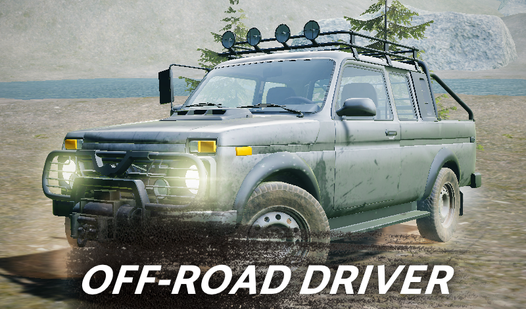
- Weighty Physics: Vehicles feel heavy and prone to sliding. You have to counter-steer constantly to keep from flipping over in deep puddles.
- Camera Versatility: Press C to toggle your view. Changing angles helps you spot the best line through jagged rocks.
- Vehicle Upgrades: Spending coins unlocks trucks with better grip. You will need every bit of traction for the final tracks.
- Headlight Utility: Hit L to see in the dark. It makes night missions actually possible.
How to Play
Mastering Off-Road Driver Controls
Use WASD or arrow keys to navigate the terrain. Off-Road Driver controls are fairly straightforward, but the physics engine demands respect. You need to feather the gas when climbing wet slopes. A common mistake is slamming the pedal to the floor, which just spins your tires into oblivion.
How to play Off-Road Driver efficiently
Your primary goal is to reach the finish line to collect coins. Don’t rush the early sections. You should learn how to play Off-Road Driver by watching how the weight shifts during turns. Later levels are kind of unfair with their steep, unpredictable inclines, so always keep your momentum steady.
Who Should Play Off-Road Driver?
Frequently Asked Questions about Off-Road Driver
Can I play Off-Road Driver on my phone?
Yes, it works on mobile devices using the on-screen pedal and arrow buttons. The interface is designed to keep your thumbs from blocking the view.
What are the controls for Off-Road Driver?
Use WASD or the arrow keys for movement on desktop. You can also toggle headlights with L and switch camera angles using the C key.
Is Off-Road Driver free to play?
Yes, Off-Road Driver is completely free to play on Nub Games. There are no in-app purchases. No download or registration required.
Can I play Off-Road Driver on mobile?
Off-Road Driver works on both desktop and mobile devices. Best played in landscape mode.
What age rating is Off-Road Driver?
The catalog age rating for Off-Road Driver is 6+.